- DATE:
- AUTHOR:
- Dutchie Product Team
Dutchie POS: Send customer and transaction notes to Onfleet; safeguards to prevent losing progress in receive and against duplicating SKUs
Projected release dates: 7/14/26-7/15/26. Subject to change.
Enhancements
Integrations
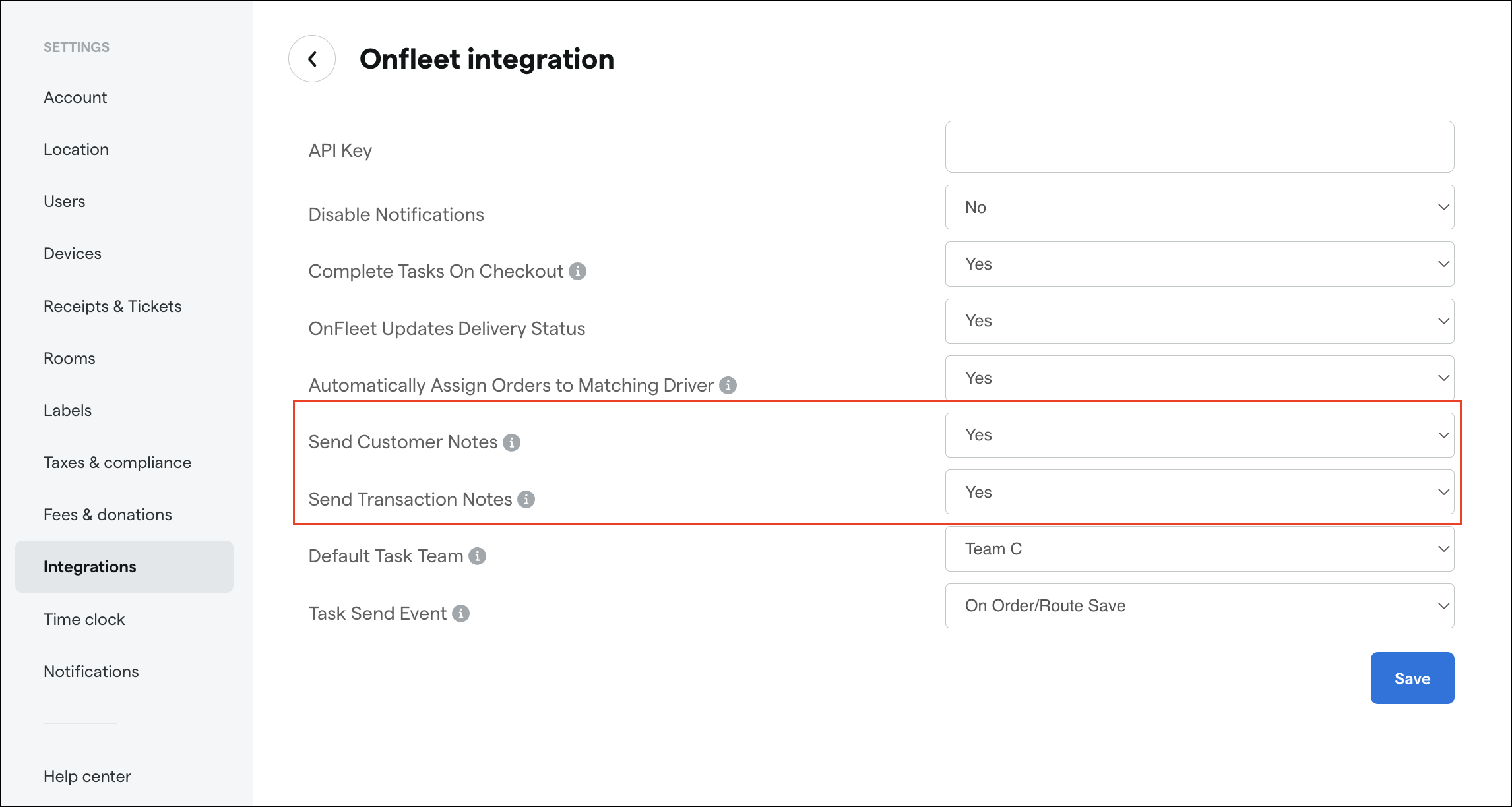
Delivery tasks created through the Onfleet integration can now include your Customer Notes and Transaction Notes alongside the existing transaction details, so drivers can see important context like delivery instructions or order-specific information directly in Onfleet.
Each note type is controlled by its own toggle in the Backoffice under Settings > Integrations > Onfleet so you can choose to send one, both, or neither based on your workflow.
Inventory
When receiving inventory, if you navigate away from the page while a receive is in progress, you'll now see a confirmation prompt before leaving so you never lose your progress unexpectedly and your in-progress receive data is protected from accidental page exits
Products
We’ve added a new validation to prevent the creation or update of products with duplicate SKUs within the same LSP catalog. Previously, certain entry points—specifically the Public API and single-product updates in the Backoffice—could silently allow duplicate SKUs, leading to data integrity issues and inventory confusion. This feature closes those gaps by rejecting any submission where a SKU is already assigned to a different active product.
Segments
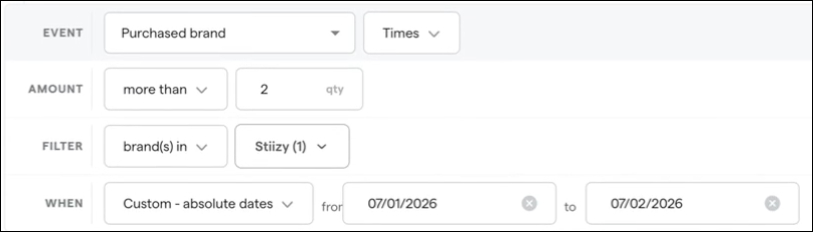
The Segments builder is getting a UX update to show more complex conditions on multiple rows instead of all on one row for better readability.
Register
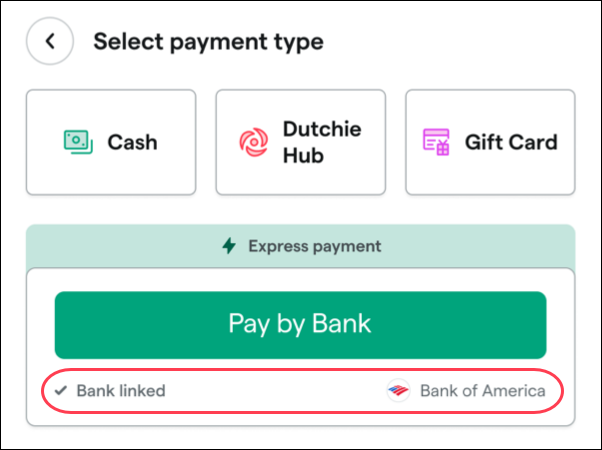
When a customer has a linked Pay by Bank account, the Register will now display the bank name in the Select payment type section. This change is intended to help budtenders more easily recognize that a customer has linked their bank account and offer a natural, personalized suggestion like “I see your Bank of America account is linked, would you like to use that to pay for your order today?”
Fixes
We’ve deployed a fix that will allow for faster scanning at higher volumes when scanning inventory for counting, searching, or audits.
We’ve resolved an issue where some products showed negative available quantities when searching to add items to a fulfillment order, even though inventory was actually in stock. The incorrect quantities were caused by a calculation error in how available inventory was determined for the fulfillment workflow. Product quantities in fulfillment orders now display accurately and reflect actual inventory availability.
