- DATE:
- AUTHOR:
- Dutchie Product Team
Dutchie POS 1.181: Segments based on purchase events; Required updates to employee Metrc permissions
Projected release dates: 3/23/26-3/26/26. Subject to change.
Enhancements
Segments
Create customer segments based on Purchase events, such as:
Purchase completed - customer has completed at least [number] purchases in [timeframe]
Purchased brand - customer has purchased from a specified brand
Purchased product - customer has purchased a specified product
Purchased category - customer has purchased from a specified product category (flower, edibles, etc.)
Discount used - customer has used a specified discount or any discount
Payment method used - customer has used a specified payment method (cash, debit, Pay by Bank, etc.)
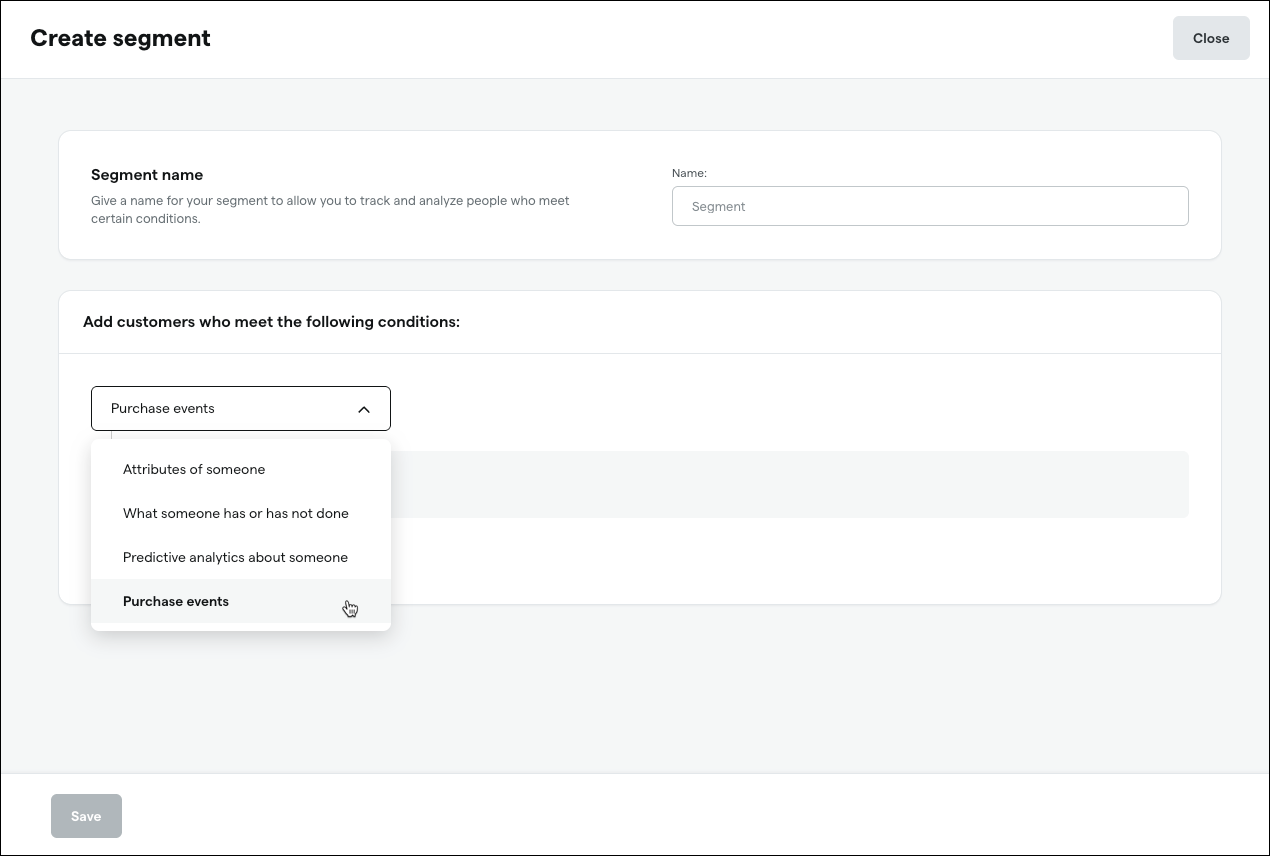
While other segment types refresh daily, purchase event segments typically refresh within minutes of a purchase action.
Purchase event segments also include new operators:
Number of times purchased
Total dollar amount purchased
Average dollar amount purchased
Time frames:
Custom relative dates (i.e., from 1 to 5 days ago)
Custom absolute dates (i.e., from 3/15/2026 to 3/18/2026)
Inventory
Action required – Update Metrc permissions for employees who receive or transfer inventory
We’re upgrading our Metrc integration to improve performance and reliability when receiving inventory. This upgrade may require changes to your employee permissions and API key(s) in Metrc:
In Metrc, go to Admin > Employees.
Select an employee responsible for receiving or transfering inventory.
Click Edit Employees.
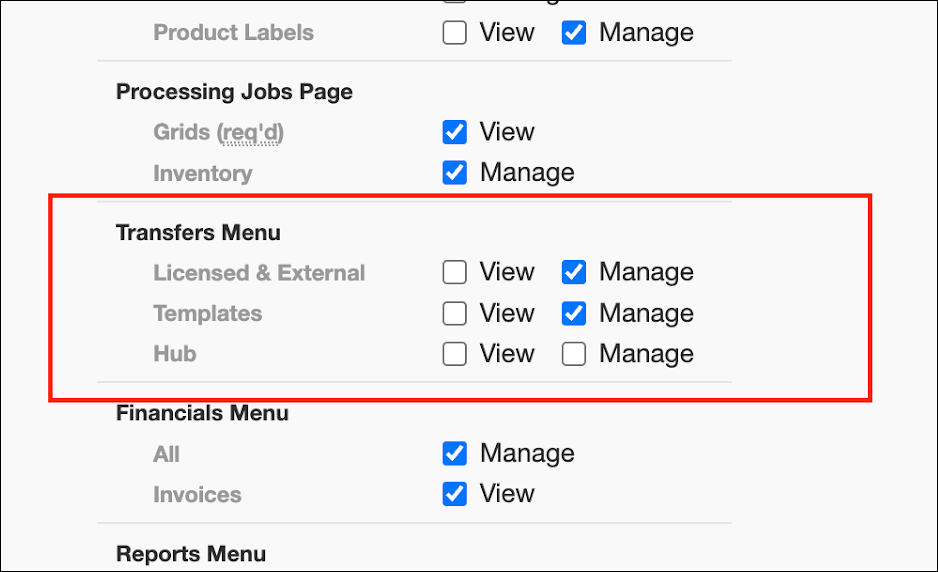
Under Transfers Menu, set both Licensed & External and Templates to Manage.
If you made changes, click Save. If the employee already had these permissions, you're done.
Repeat for all employees who receive inventory.
Generate a new API key in Metrc for each employee with updated permissions and enter it into Dutchie. Learn how in the Help Center.
Florida: Scan BioTrack batch IDs at the Register
This release will add the ability to scan a batch ID barcode at the Register to pull up all available packages associated with the batch.
Fix
This release will resolve an issue where on smaller screens or windows the search bar and filter buttons on the Inventory page don’t scale or reposition properly, making them difficult to use.
