- DATE:
- AUTHOR:
- Dutchie Product Team
Dutchie POS 1.177: Restrict online discounts by order source; Global category and subcategory mapping; fixes
Projected release dates: 2/23/26-2/26/26. Subject to change.
Enhancements
Discounts
Restrict online discounts by order source: A new option in the Discount Wizard will allow you to control whether online discounts are available on your Mobile App, Kiosk, and Online Menu.
On the Details step, when Available online is set to Yes, you can choose which Order sources the discount will be offered for.
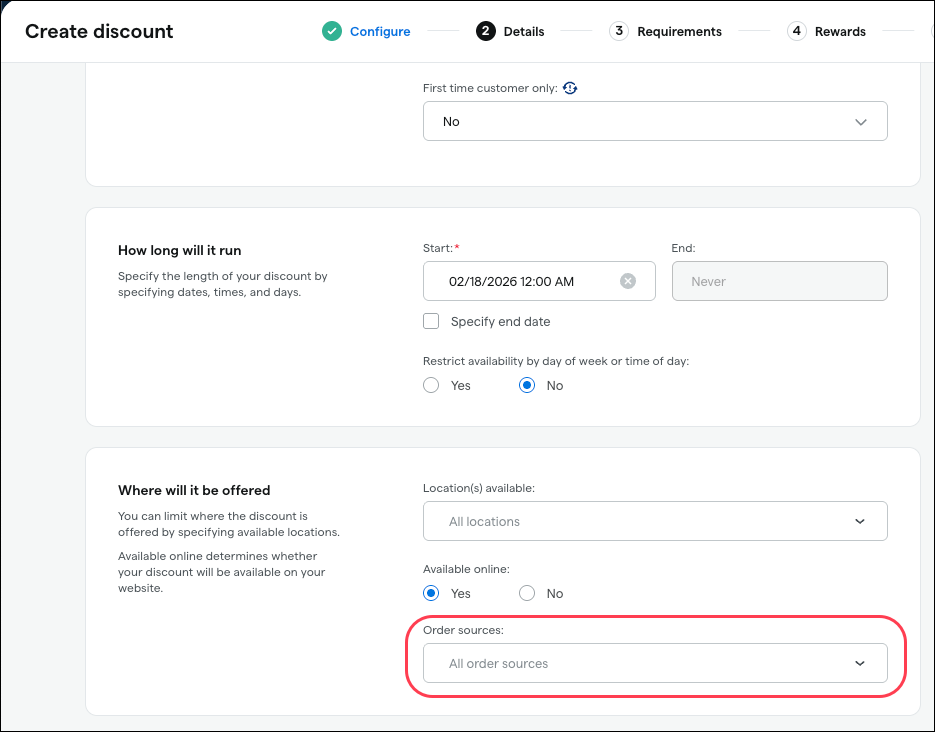
If you don’t choose any order sources, the discount will be available for all three online sources as well as in-store orders.
Note that this feature will not be available in the legacy discount builder.
Products
Global category and subcategory mapping in the Backoffice will allow you to map your Dutchie POS product categories to the corresponding Dutchie E-Commerce categories and subcategories.
In Products > Configure > Categories, use the new Global category and Global subcategory fields to map all products in that category to the selected category and subcategories in Dutchie E-Commerce.
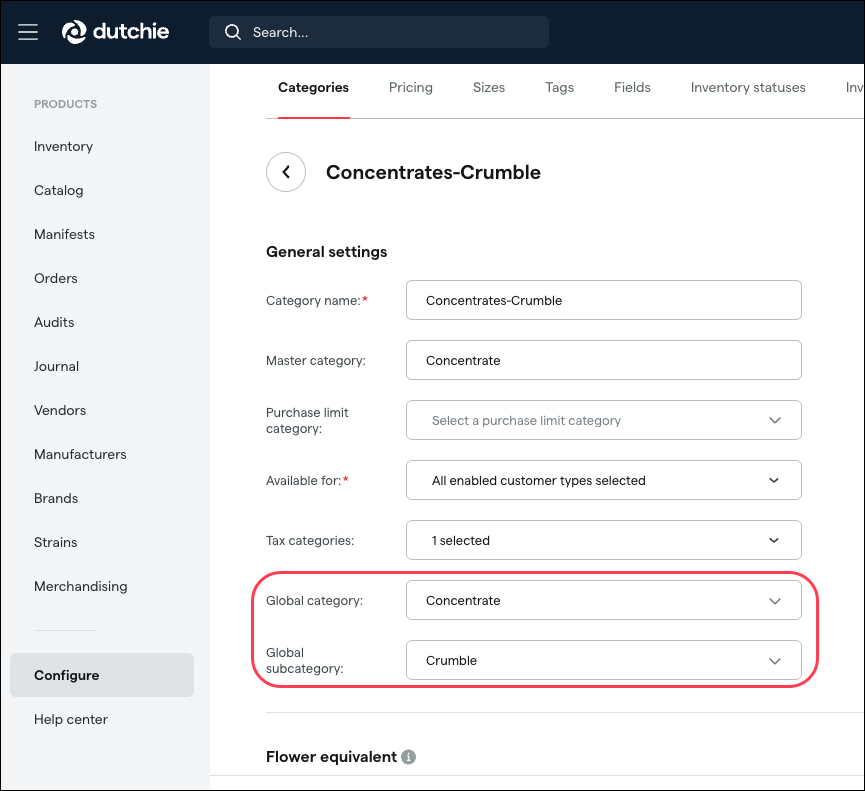
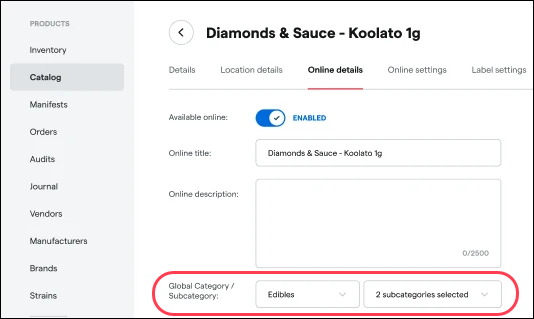
You can select a different Global category and Global subcategory for a specific product on the product's Online details tab. This product-level selection will override category-level selection. At both the category and product level, you can assign more than one global subcategory.
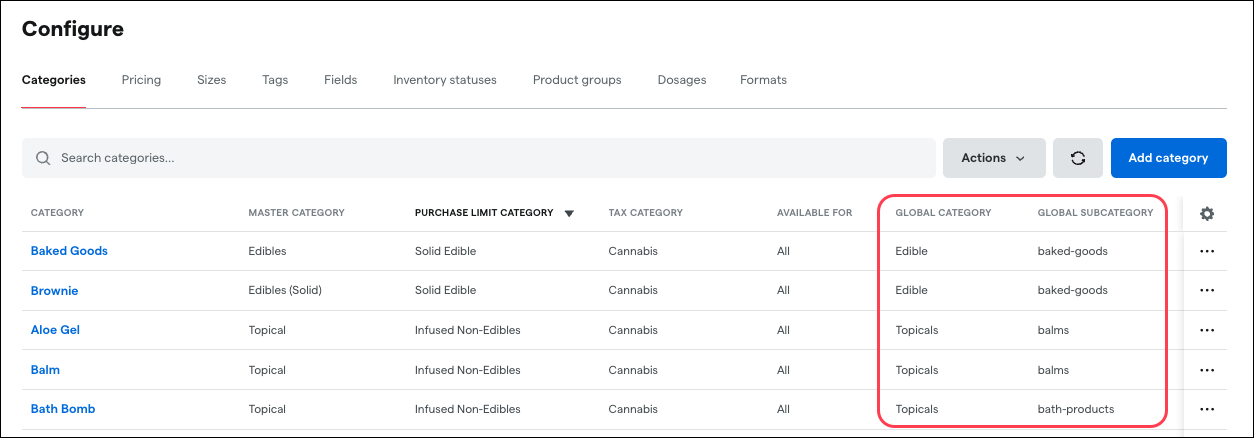
Global category and Global subcategory will also be added as new columns in the Categories grid.
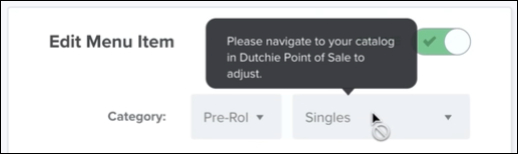
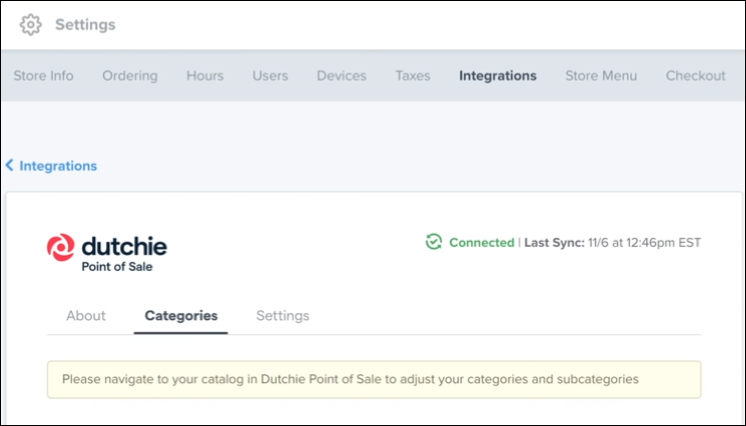
Full-stack locations will now manage category/subcategory mapping entirely in Dutchie POS. Callouts will appear in Dutchie E-Commerce directing users to manage category assignments in Dutchie POS.
Compliance
Vermont: VCCB reporting is moving from Settings > Integrations to the Reports section of the Backoffice and will also gain an export option.
Fixes
This release includes fixes for the following issues:
Wholesale manifests only show taxes when printed, not in the Backoffice interface.
In the Discount Wizard, the product category filter does not consider master categories. For example, filtering by Flower returns no results even when there are multiple categories within the Flower master category. With this fix, the filter will consider both category and master category.
Anonymous transactions accrue loyalty points.
A “Discount does not meet criteria to apply to cart” error appears when applying certain loyalty discounts to carts that do meet the discount criteria.
Discrepancies may exist in the Inventory Roll Forward Report, specifically between the RevisedUp columns and product history and journal entries.
