- DATE:
- AUTHOR:
- Dutchie Product Team
Dutchie POS 1.176: Custom segment badges in the Register; Segment attributes to target campaign engagement; Smart tags roll out to all locations
Projected release dates: 2/17/26-2/19/26. Subject to change.
Enhancements
Custom segment badges in the Register
We’re adding a new feature that allows you to customize your segment badges and display up to 10 badges under Customer insights in the guest list and cart.

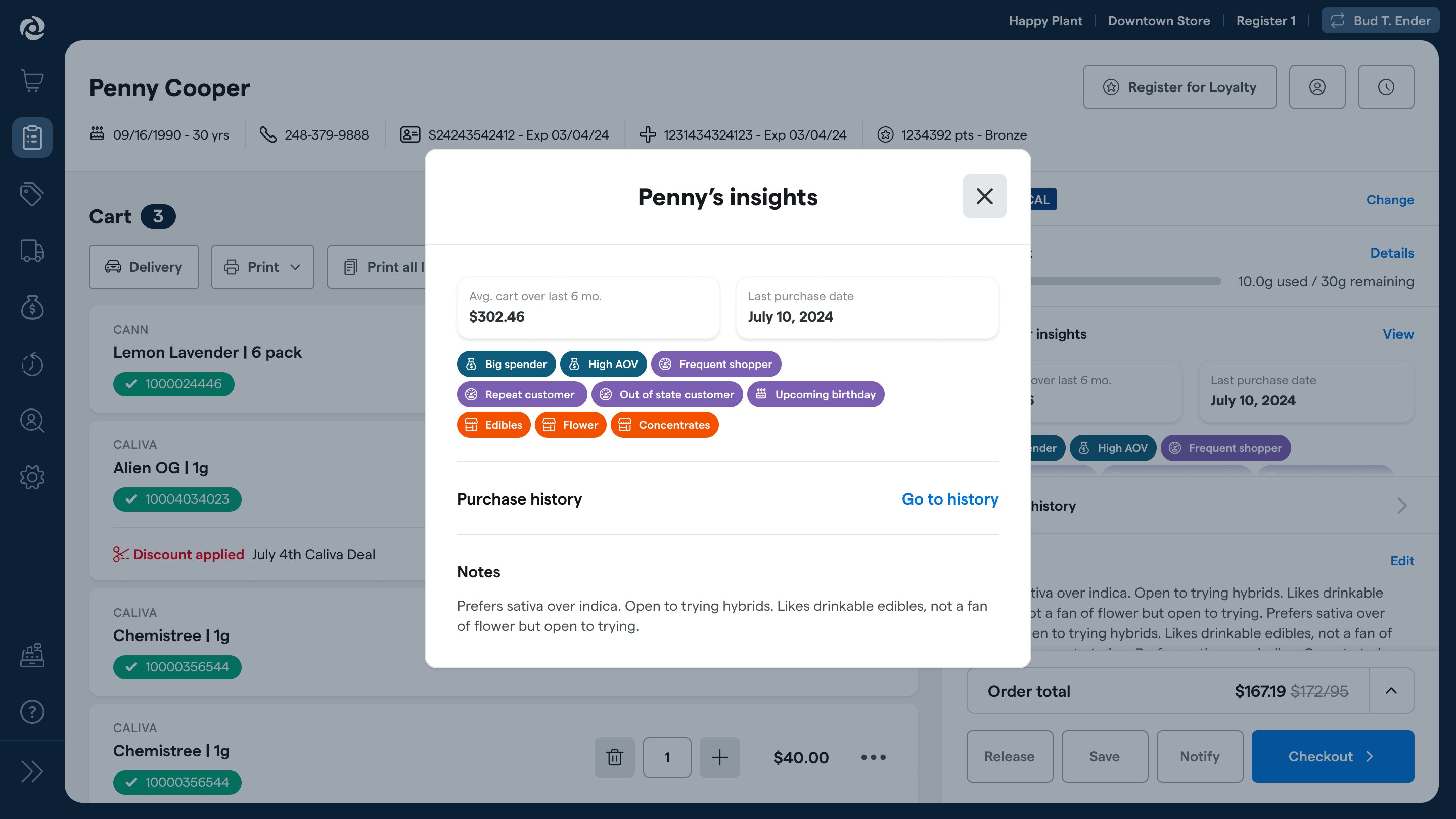
In the Backoffice, go to Customers > Segments, select a segment, then select the Customize badge tab. There, you can enter a badge name (i.e., a shortened version of the segment name, if necessary), choose whether it should be displayed in the Register, and assign a color and icon.

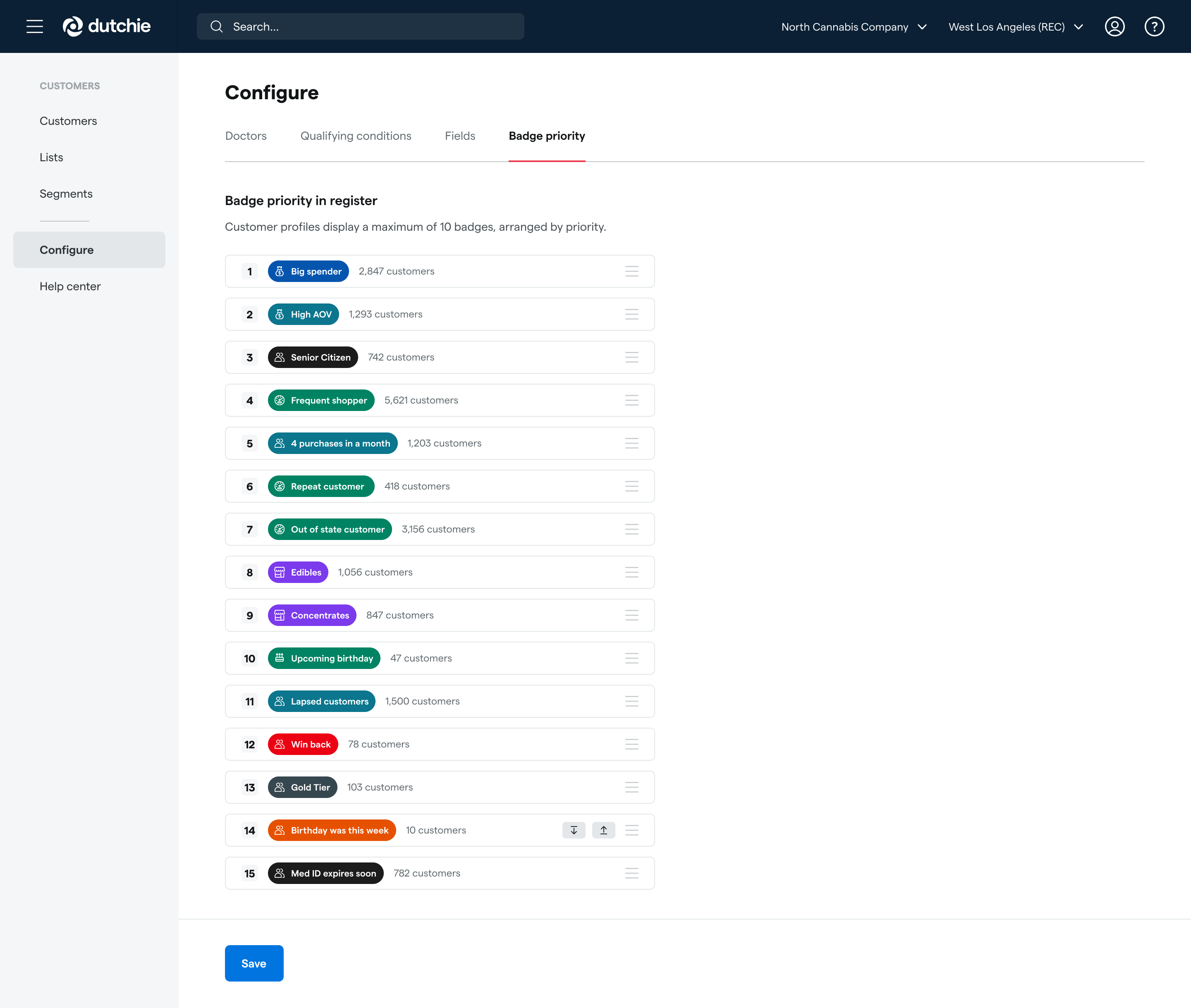
Under Customers > Configure > Badge priority, click and drag to arrange badges in priority order. For example, if a customer is in 12 different segments that are all configured to display in the Register, the 10 highest-priority segment badges will appear in their insights. If a customer is in less than 10 segments that are configured to display in the Register, all of their segments will appear.
New segment criteria
Build segments that include these new attributes to better target customers based on their engagement with your campaigns.
Total push notifications sent
Total push notifications opened
Push engagement rate
Total emails delivered
Total emails opened
Total emails clicked
Email engagement rate
Total SMS delivered
Total SMS clicked
Total SMS gate passed through (number of times the customer verified their age after clicking an SMS link)
SMS engagement rate
Order types the customer has placed (in-store pickup, delivery, etc)
Smart tags
We’re rolling out smart tags to all locations! These allow you to set custom rules to automatically tag packages based on a wide range of criteria, including potency, expiration date, and more. For example:
Apply a "High Potency" tag to packages above a certain potency threshold.
Apply a "20% Off" discount tag to packages nearing their expiration date.
Smart tags apply only to packages but can be based on package and product attributes. You can use smart tags in all the same ways as regular inventory tags, such as discounting specific packages or creating E-Commerce Collections.
Learn more about smart tags in the Help Center.
Fix
This release includes a fix for an issue where new Dutchie loyalty program members who enrolled on Dutchie E-Commerce do not receive their initial reward for sign-up as configured in Dutchie POS
