- DATE:
- AUTHOR:
- Dutchie Product Team
Dutchie POS 1.175: Loyalty referrals; campaign builder enhancements; Round Up the Change; new Tags menu; fixes
Projected release dates: 2/9/26-2/12/26. Subject to change.
Enhancements
Loyalty + Marketing
Expand your loyal customer base with Referrals
Referrals allow existing members of your Dutchie loyalty program to share a loyalty signup link or QR code with a friend.
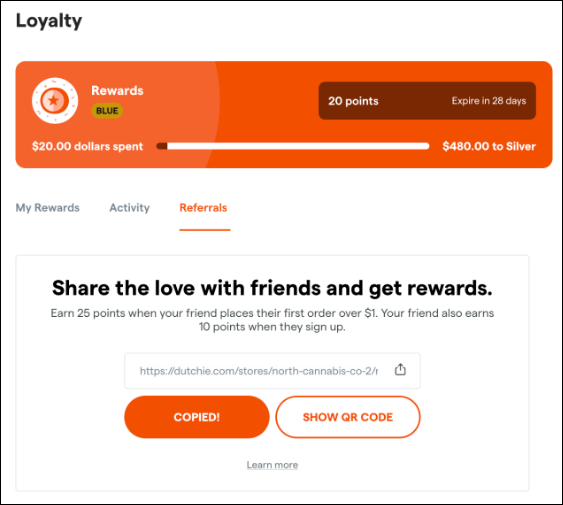
When the friend opts into your loyalty program with a new or existing Dutchie account, the friend immediately earns a reward. Once the friend makes a qualifying purchase, the referrer also earns a reward.
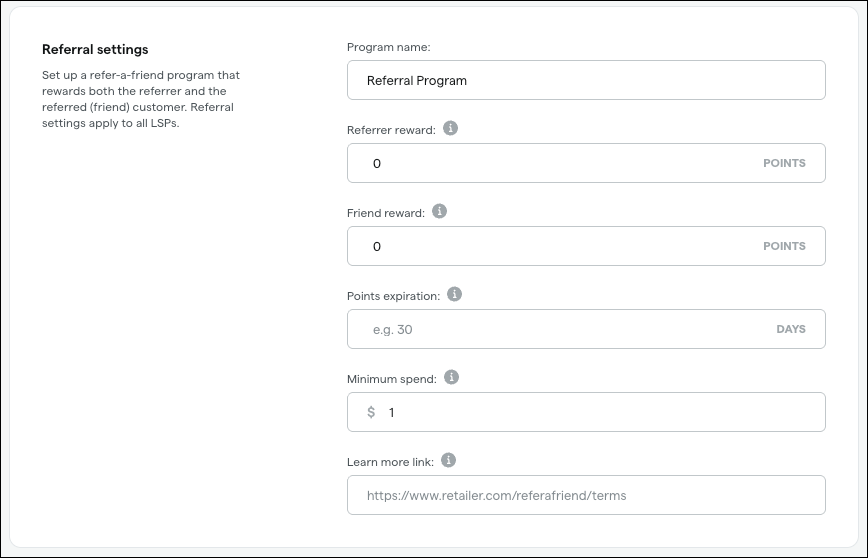
Rewards, minimum spend for qualifying purchases, and automated campaign messages for referrers will all be configurable in the Backoffice under Marketing > Loyalty > Referrals.
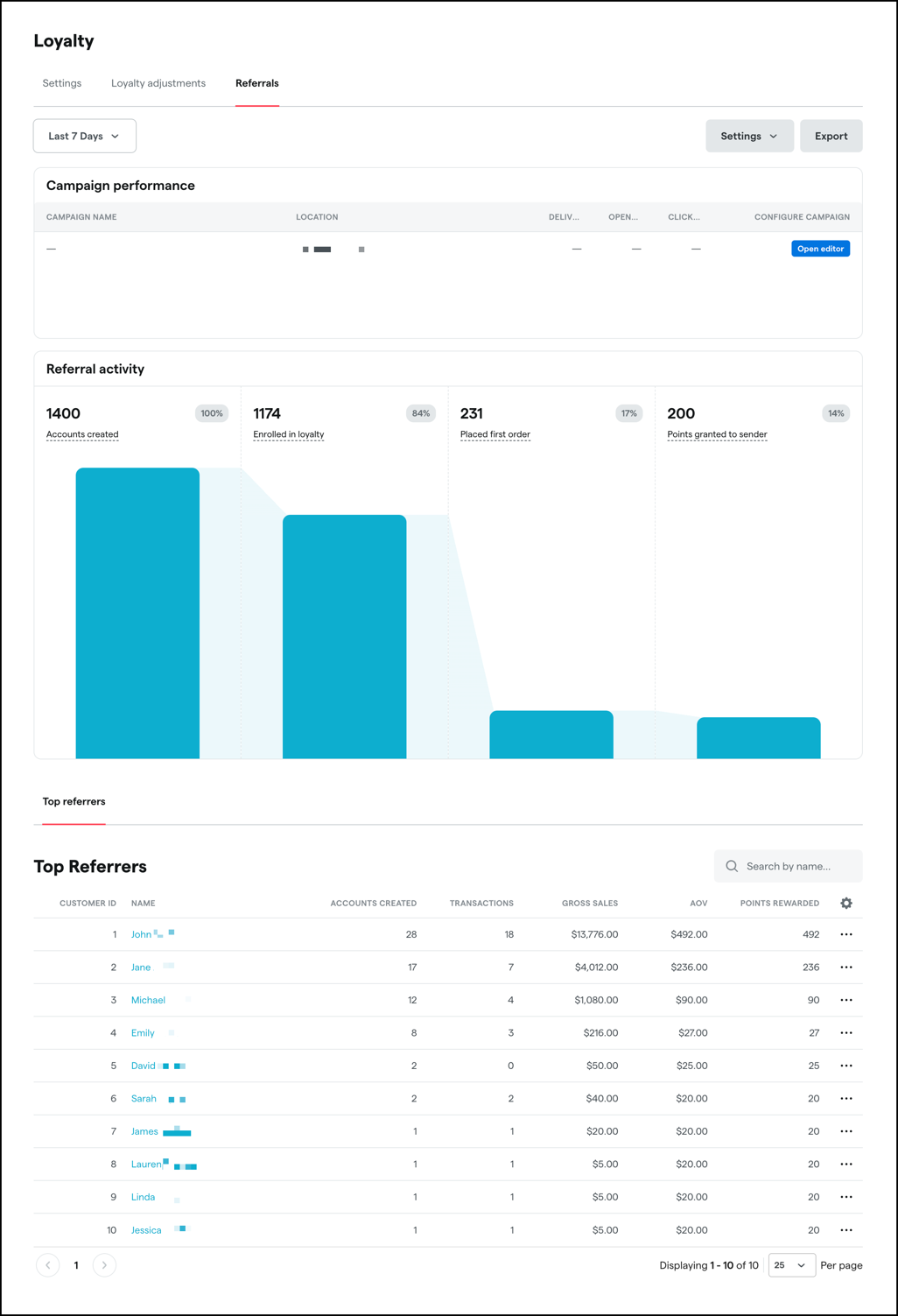
The Referrals tab will also feature comprehensive analytics about your referral program.
Learn more about Referrals in the Help Center.
Campaign builder enhancements
Look for these new email/landing page options under Marketing > Campaigns:
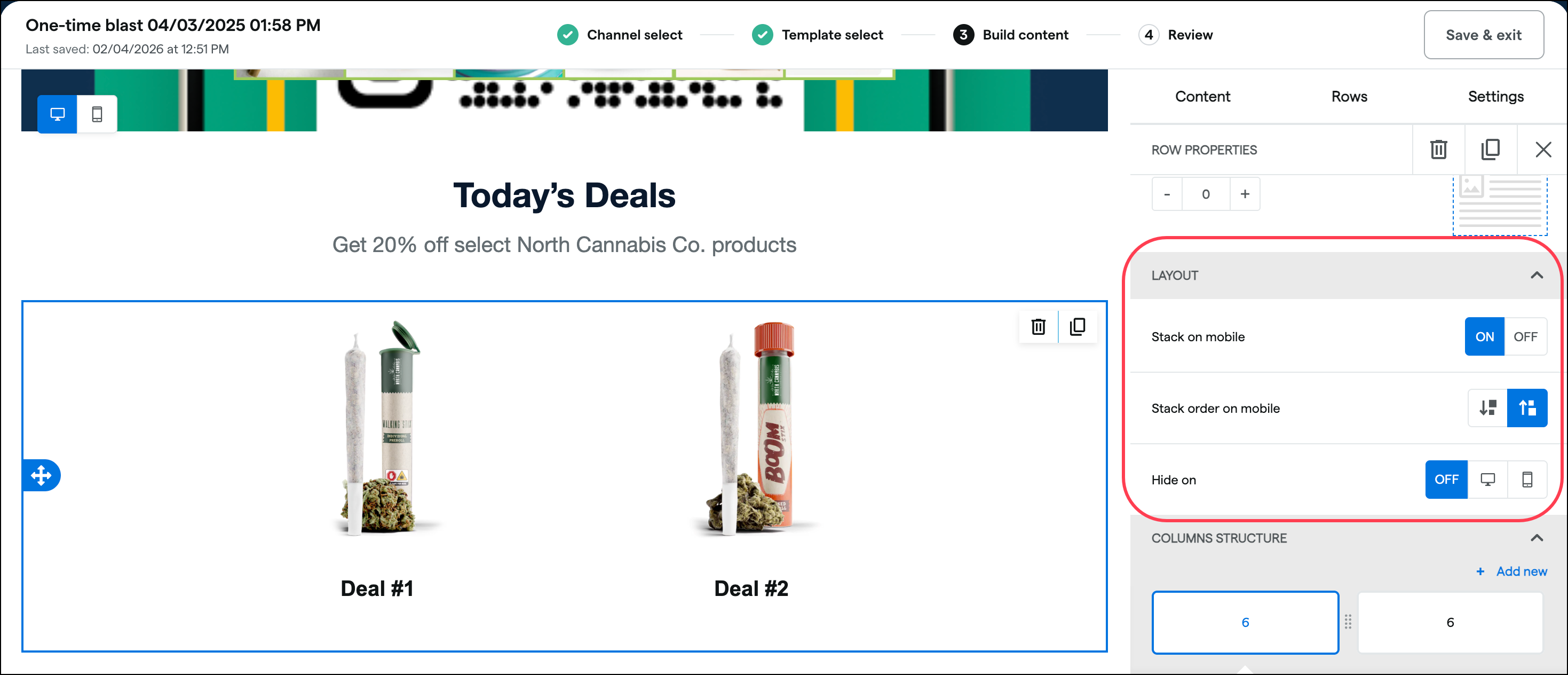
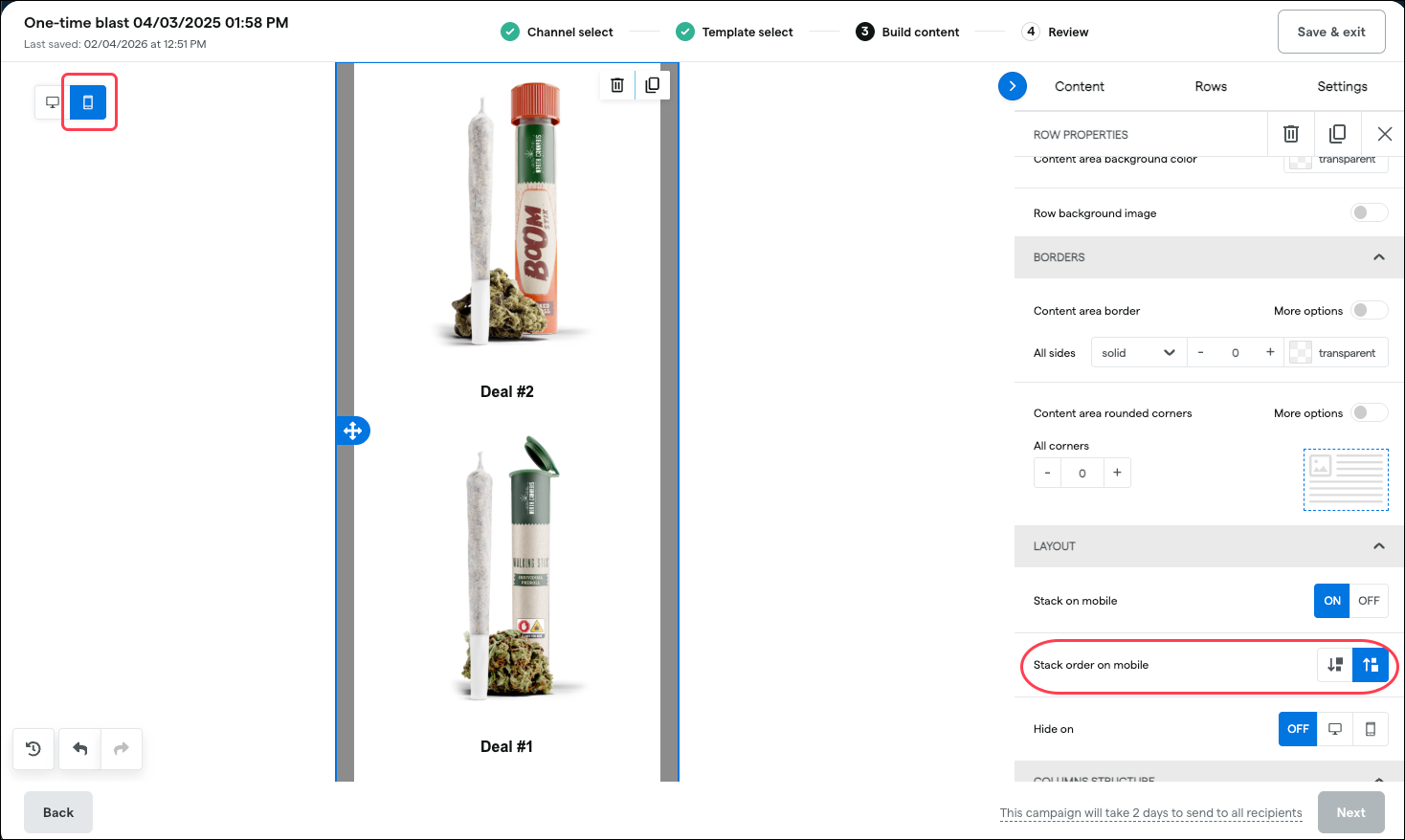
A new Layout section for multi-column rows will have options for:
Stack on mobile (on/off)
Stack order on mobile (right column or left column first)
Hide sections on desktop, mobile, or neither (off)
Selections dynamically update when viewing the mobile preview
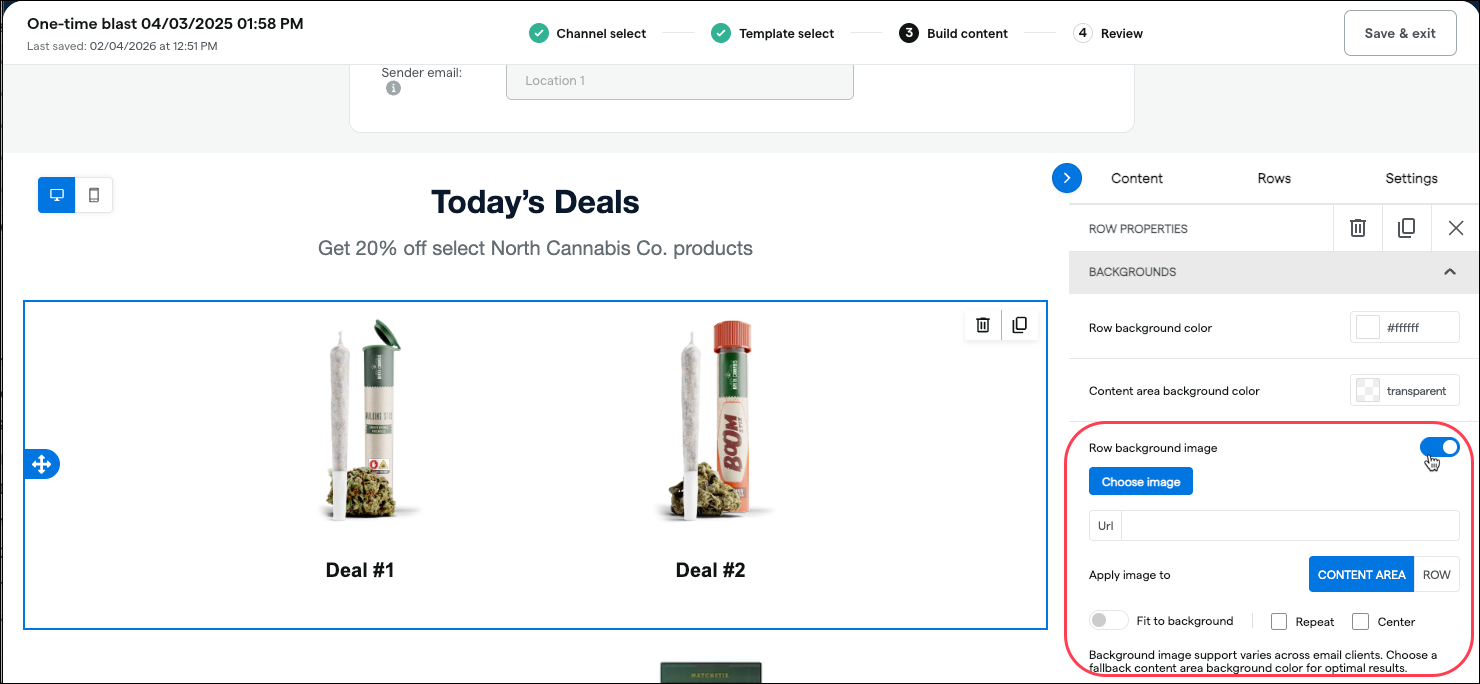
Set a Row background image:
Preview how campaigns will appear on devices with dark mode enabled:
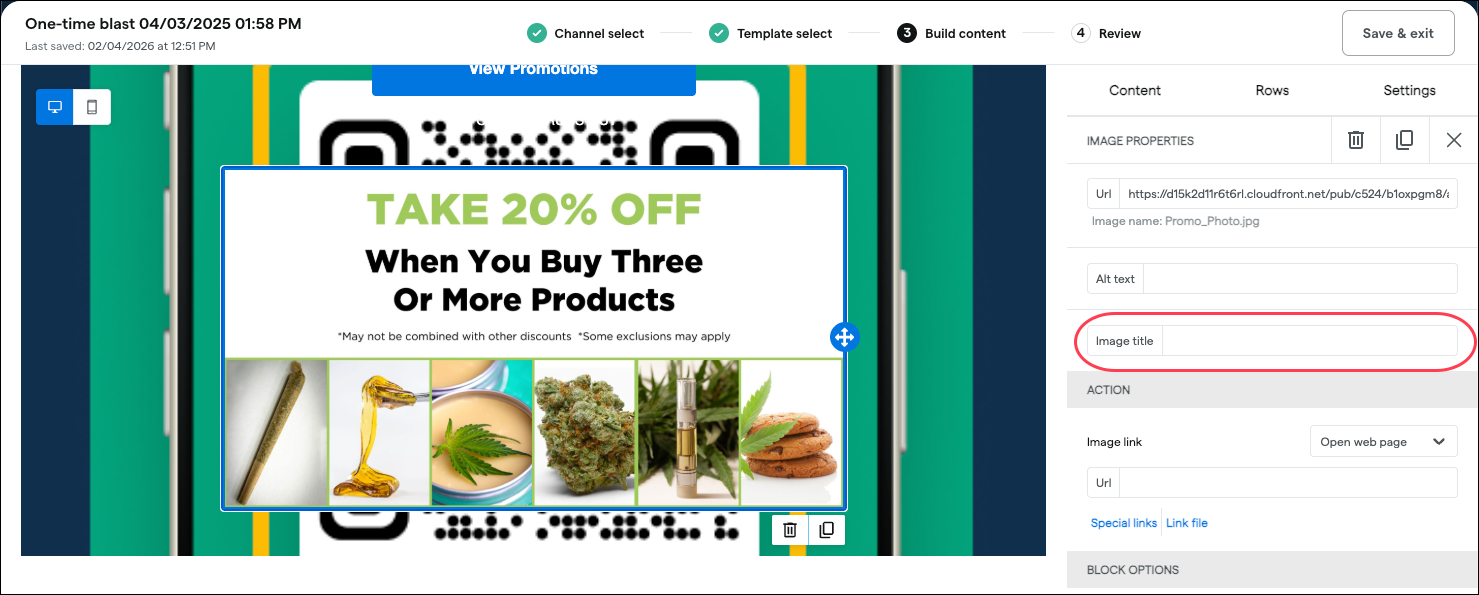
Image titles (alt text):

Round Up the Change
This new donation feature allows your customers to round up their purchase total to support these nonprofit organizations and industry associations advancing cannabis justice reform and legalization:
Learn more in the Help Center.
Products and Inventory
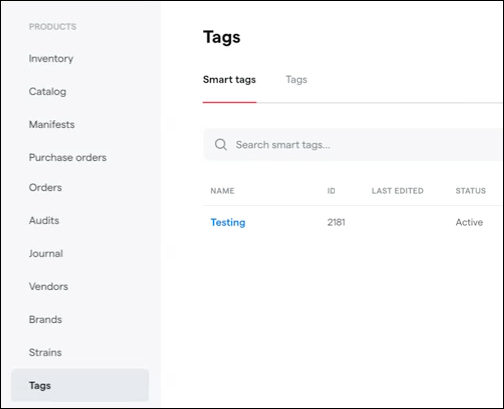
A new Tags section under the Products menu will now house tabs for Smart tags and standard Tags (currently located under Products > Configure).
Mobile Checkout
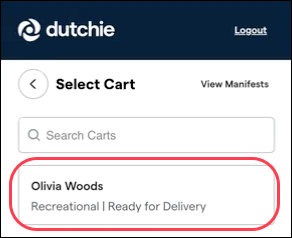
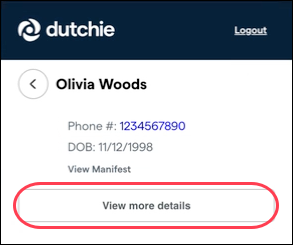
We’re adding the ability to view driver’s license/ID images saved to customer profiles in Mobile Checkout. Select a cart, then select View more details to see the customer’s ID image and delivery instructions from Dutchie E-Commerce (if applicable).
Fixes
This release includes fixes for the following issues
If a loyalty tier name contains a space, only the first word in the tier name appears on guest cards.
Journal entries on customer profiles may be time-stamped with a date in the future.
The Campaign builder crashes or goes blank when making edits such as size, font, or border configurations.
Customer loyalty point balances may go into a negative quantity after redeeming all available points on a sale.
The Dutchie POS Public API treats $0 inventory cost as a null value.
Tags added to a CSV inventory upload are not reflected on the received packages.
