- DATE:
- AUTHOR:
- Dutchie Product Team
Dutchie POS 1.174: Show transaction notes on guest cards; Smart tags move to Merchandising section; Rooms enhancements; fixes
Projected release dates: 2/2/26-2/5/26. Subject to change.
Enhancements
Register
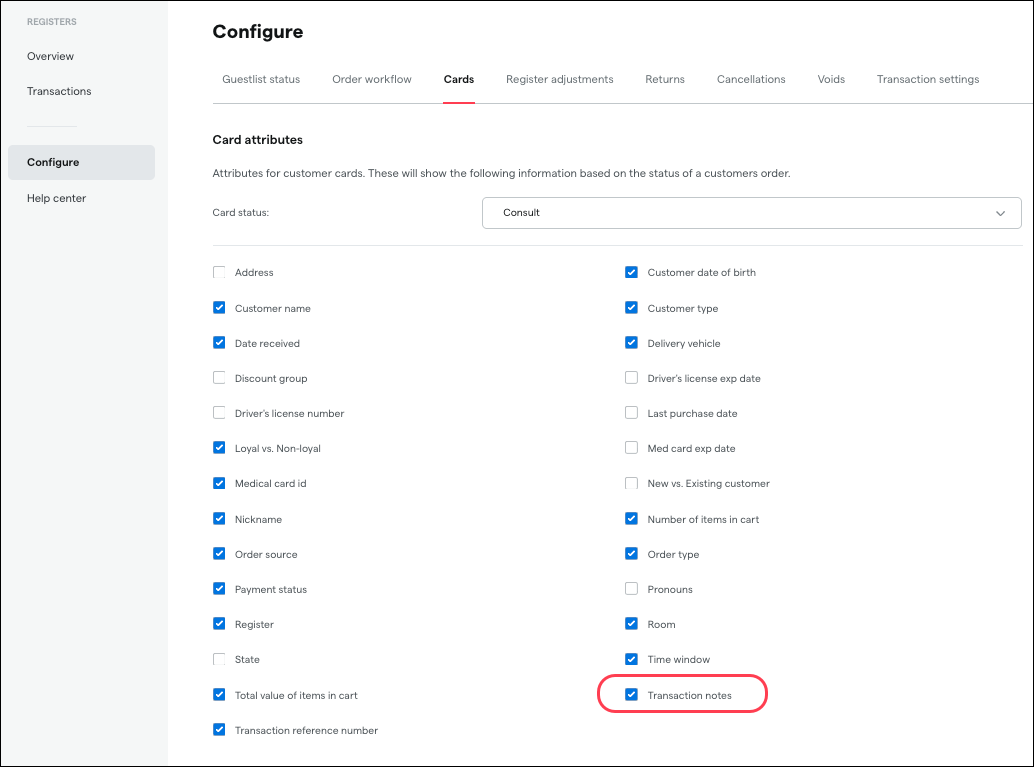
Transaction notes can now be displayed on guest list cards. Go to Registers > Configure > Cards, select a Cart status, then check the box for Transaction notes to show them on cards in that status.
Products
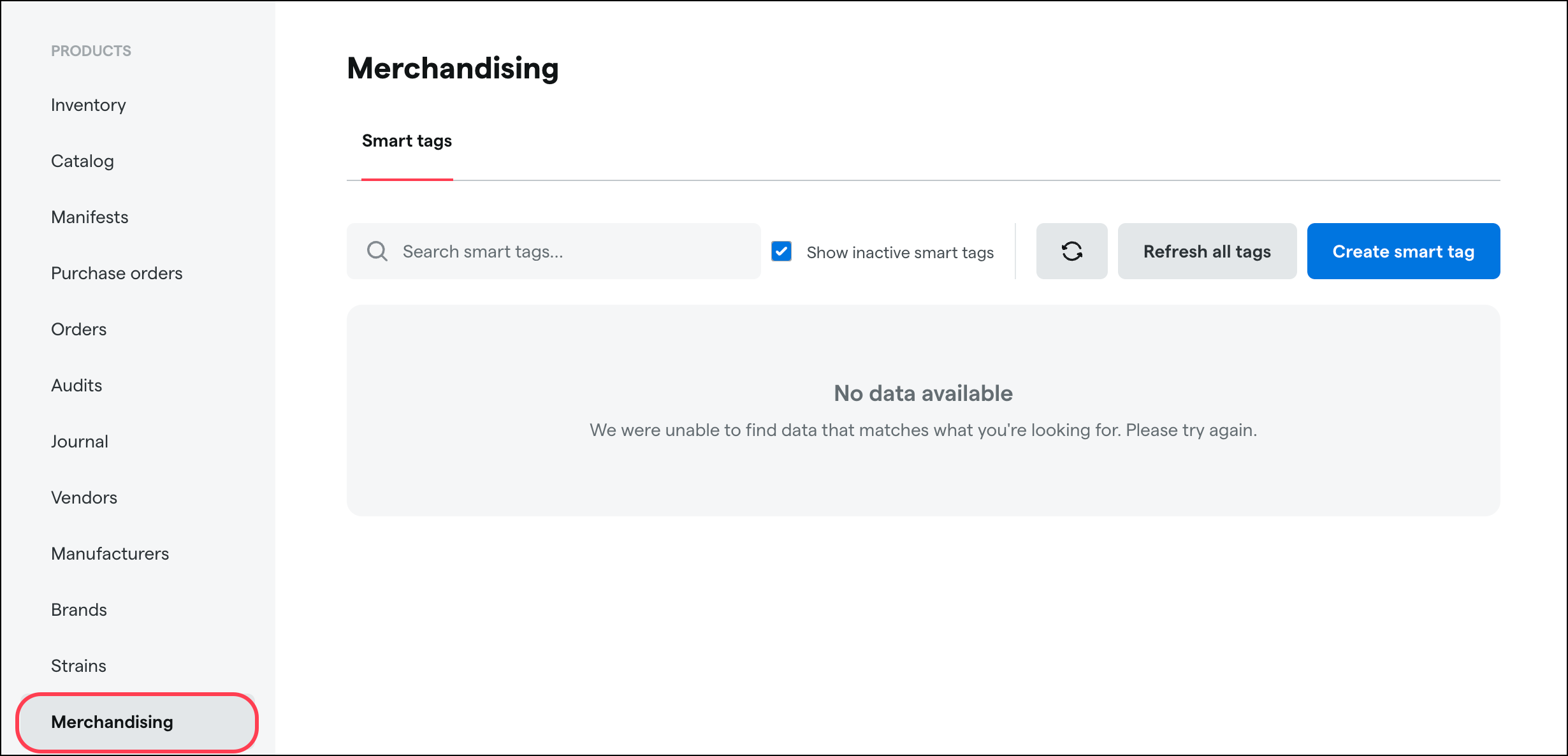
Smart tags are now located under Products > Merchandising in the Backoffice.
Inventory
We’re adding milligrams per serving (mg/serving) to the unit of measure options for cannabinoid lab results.
Settings
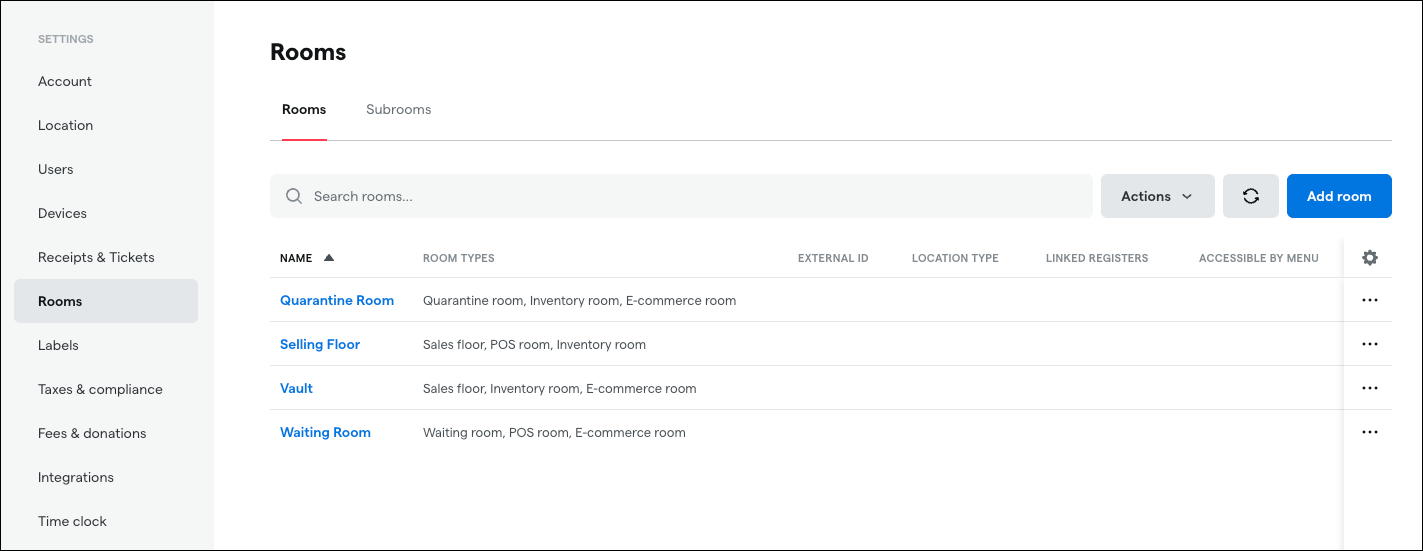
The Rooms menu in the Backoffice will be updated to include configurable data columns like other similar menus. Click the cog wheel to select which columns to display, and click and drag to change the order of columns.
Reports
The Patient Transaction Details By Budtender report will be updated to include columns for these amounts by product for each transaction:
Gross
Discount
Net
Tax
Total
This change is designed to help Vermont operators more efficiently meet new reporting requirements for patient transactions, but will be deployed to all markets.
Fixes
This release includes fixes for the following issues
Adjustments made to weight-based packages within one day of receiving may incorrectly reduce the quantity in Metrc to zero.
Fetching lab results may fail for some packages in California due to unsupported lab values in Dutchie. This release adds support for these lab values.
