- DATE:
- AUTHOR:
- Dutchie Product Team
TABLE OF CONTENTS:
Dutchie E-Commerce
Dutchie E-Commerce: Scheduled image banners; multi-image product card display; custom URLs for terms and conditions
DATE:
AUTHOR:
Dutchie Product Team
TABLE OF CONTENTS:
E-Commerce
Scheduled image banners
You can now schedule image banners to run at specific dates and times for web, kiosk, and mobile. You can run the banner indefinitely, for a set number of days or for a time period on specific days. Learn more.
Multi-image product card display
Consumers can now hover or touch to view all available product images within the product card on both web and mobile.

Custom Terms and Conditions URL
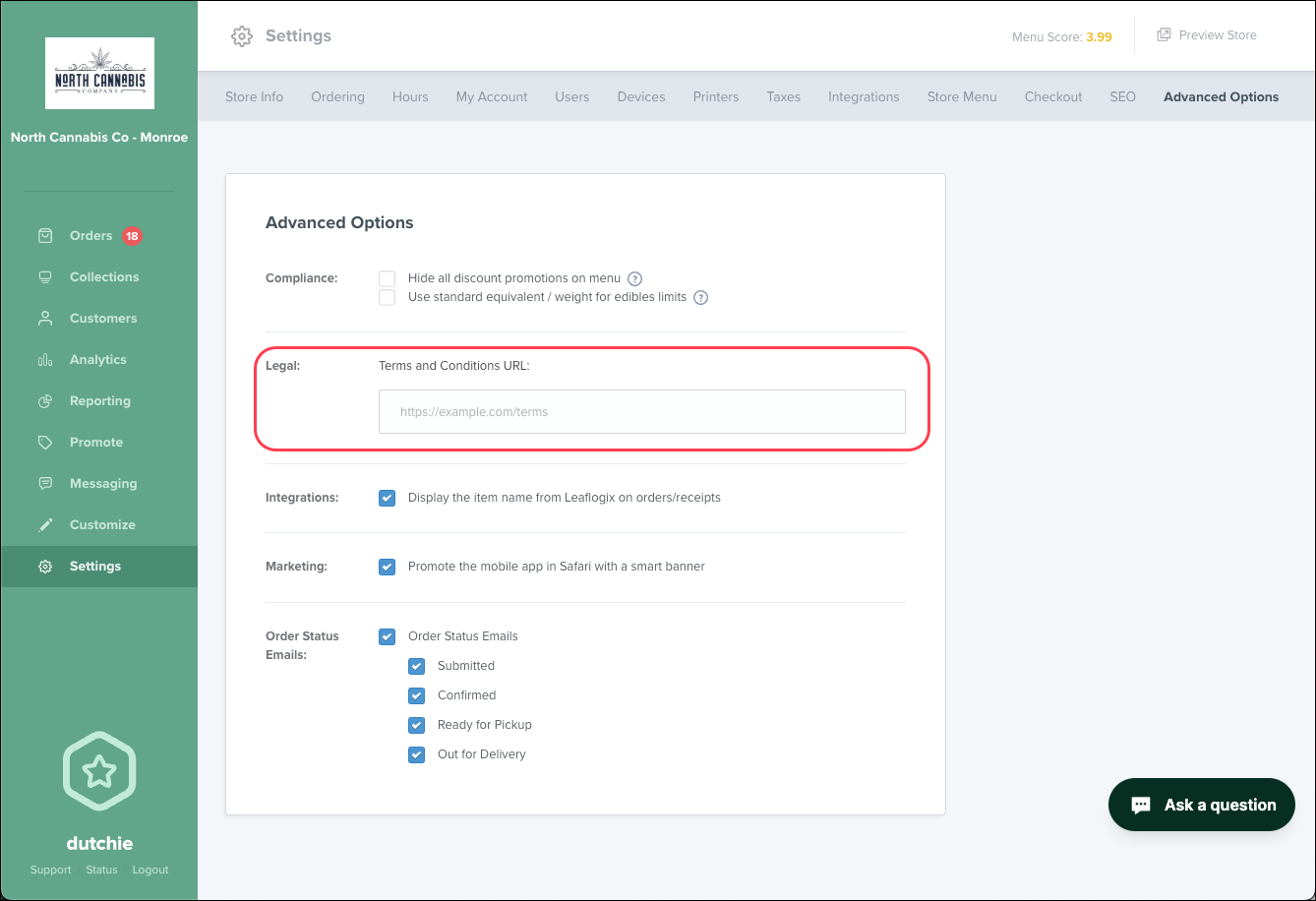
Use your own terms and conditions URL in place of Dutchie’s standard terms and conditions by going to Settings > Advanced Options > Terms and Conditions URL:
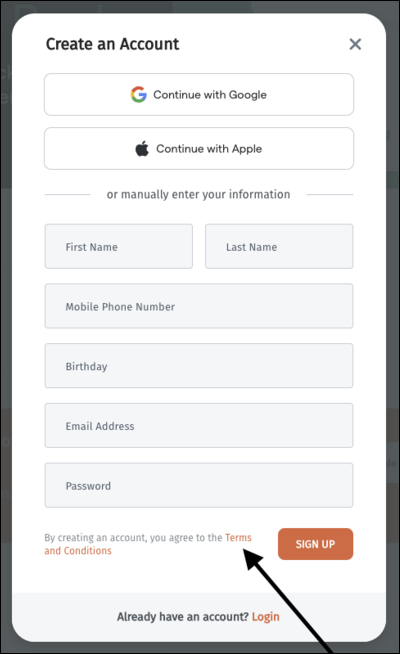
The Terms and Conditions link on the Create an Account modal will instead direct to your URL.
Mobile App
We’ve resolved an issue where category limits may not be properly enforced for mobile app purchases
TABLE OF CONTENTS:
