- DATE:
- AUTHOR:
- Dutchie Product Team
Dutchie E-Commerce: Manage your storefront from any device; printed menu enhancements; fixes
Manage your storefront from any device
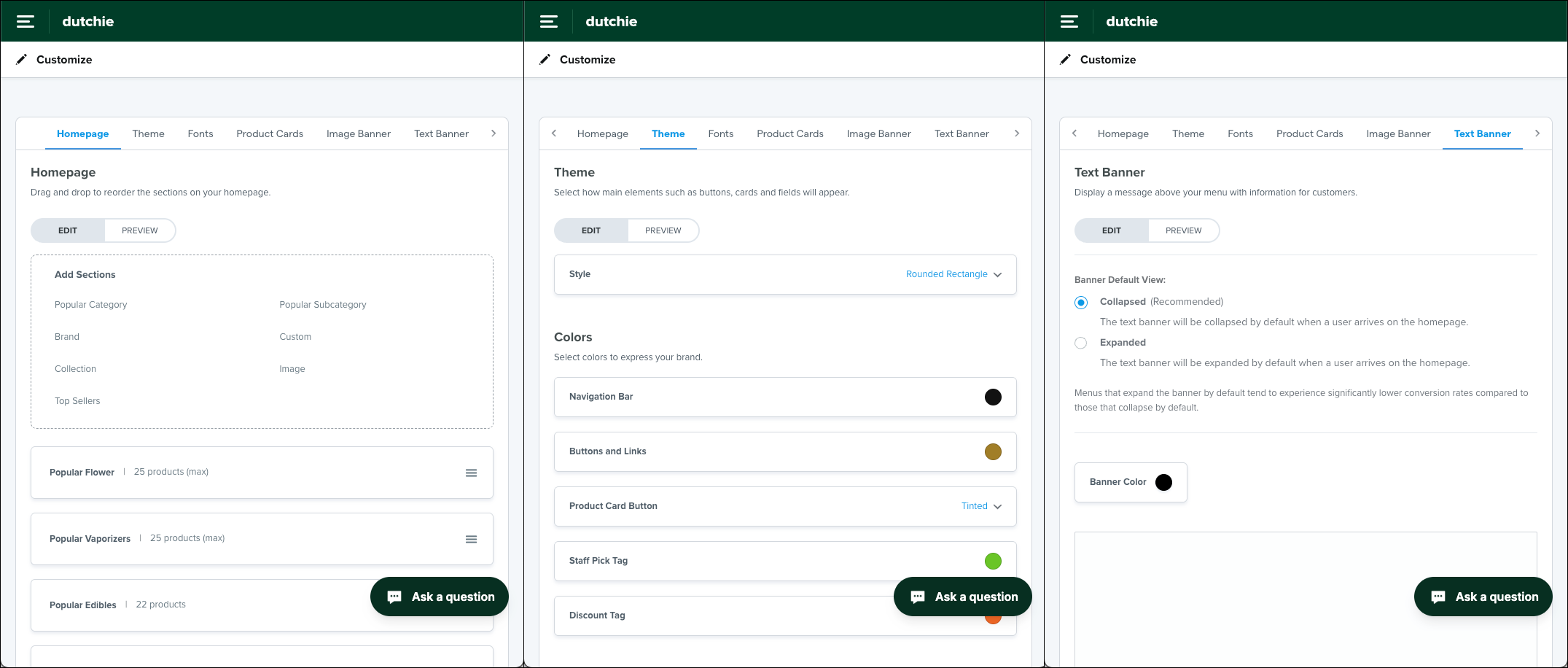
As part of our efforts to transform Dutchie E-Commerce into a truly device-agnostic platform, we’ve launched mobile responsive design enhancements to the Customize area of E-Commerce Admin, empowering you to manage the look and feel of your online storefront from your phone or a tablet.
The Customize interface now automatically adapts to smaller screens and viewports, with sidebar tabs becoming a scrolling banner across the top, and Edit and Preview tabs so you can toggle between edit controls and previews instead of scrolling within the same viewport.
Specials filter, pricing display logic, and enhancend branding controls for printed menus
We’ve added more granual customization options for printed menus:
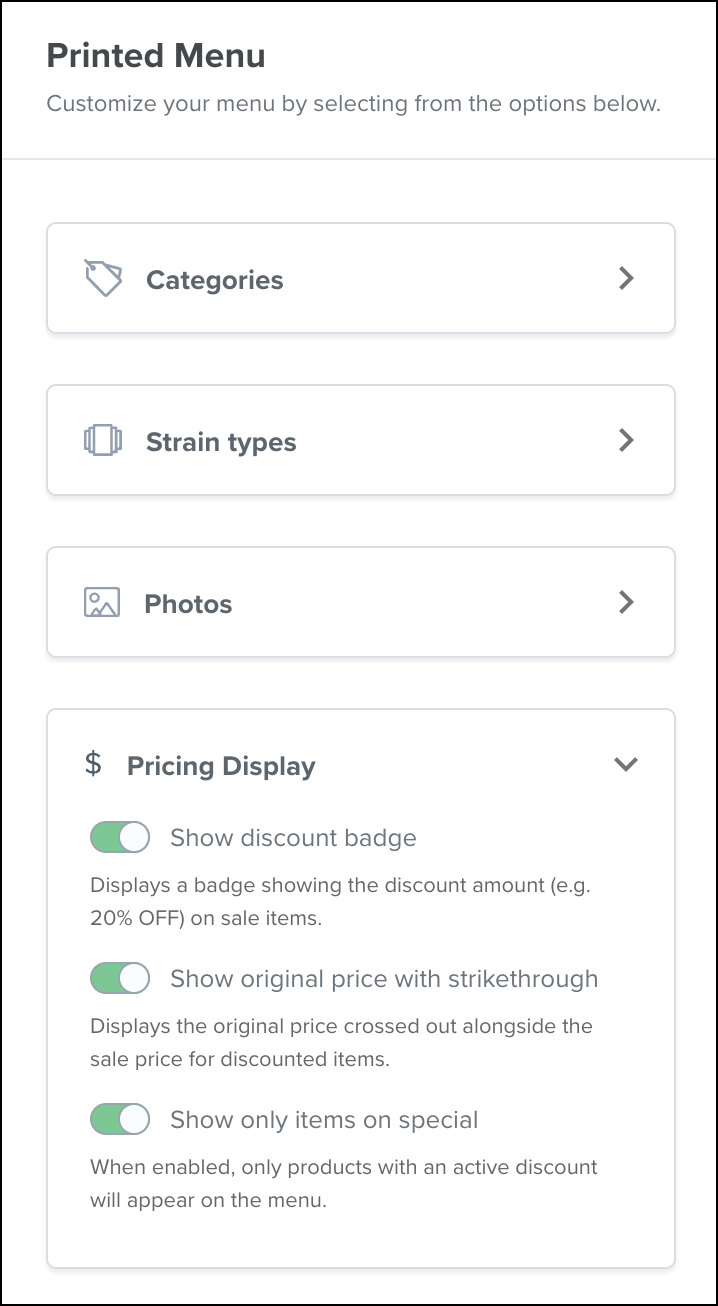
In the Pricing Display section, you can toggle on or off:
Show discount badge or Show original price with strikethrough to control how discounts and specials are represented on your printed menu.
Show only items on special and remove all full-price inventory so you can print a specials-only menu.
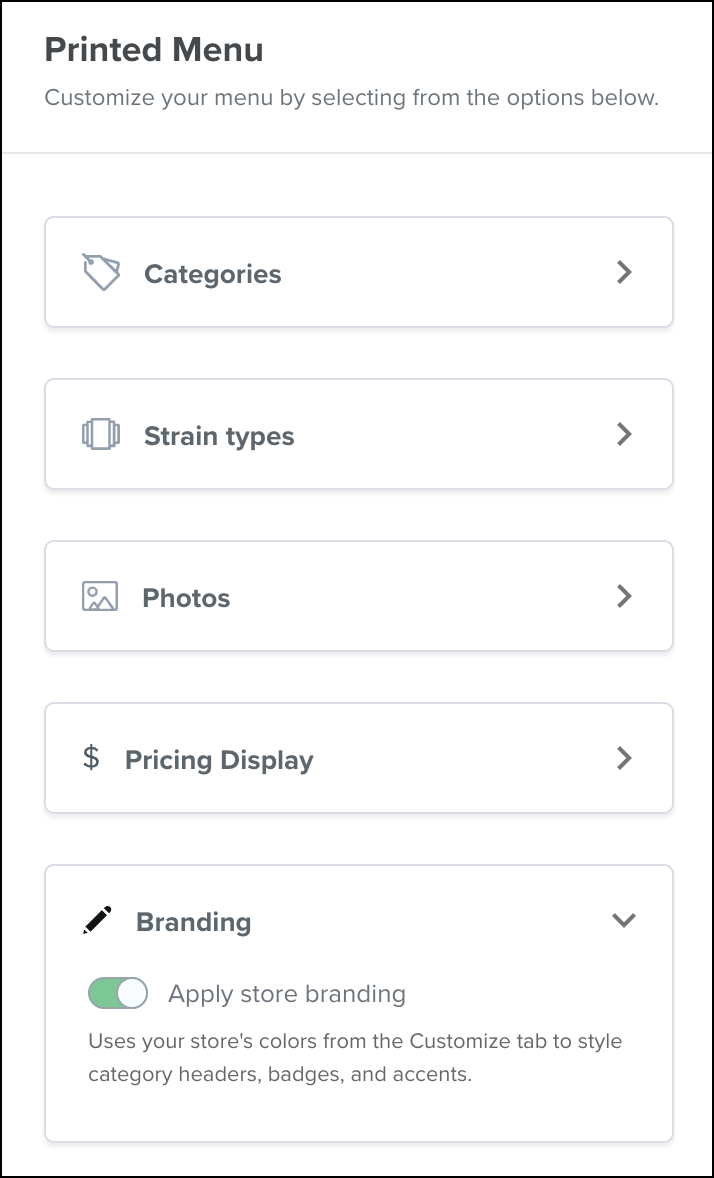
In the Branding section, toggle Apply store branding to include logo/colors from the Customize page in headers and labels.
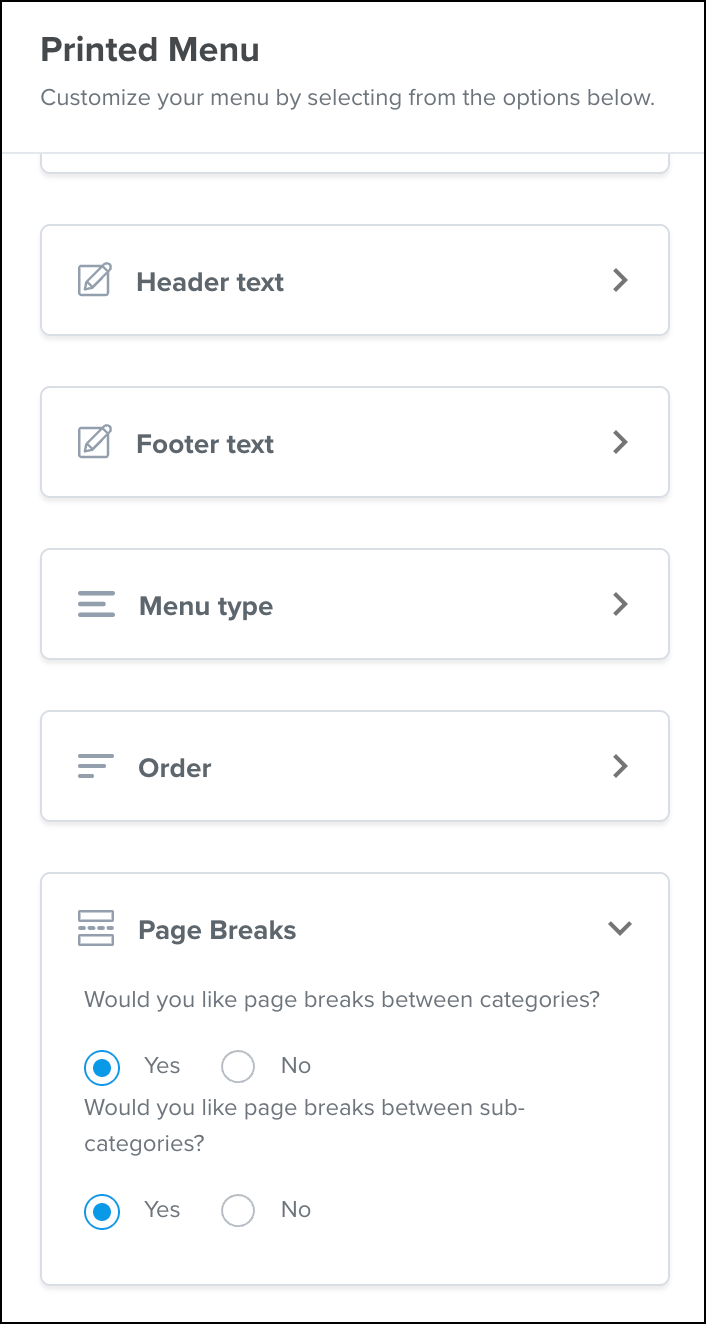
In the Page Breaks section, you can choose to insert page breaks between categories and/or subcategories for clean pagination.
Mobile app
Communication preferences: Loyalty customers can now manage email, SMS, and push notification opt-ins directly from the Preferences tab in the mobile app, just as in mobile web and desktop.
Mobile web experience: We’re bringing the native app’s streamlined shopping to the browser, delivering faster browsing, smooth navigation, and the same cart and checkout flows—no download required.
Faster images on mobile: Product and category images now load quicker and use less data thanks to automatic resizing and modern formats.
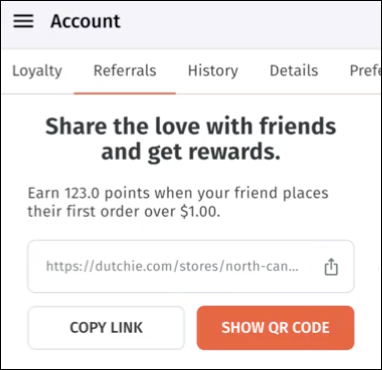
Refer a friend: Mobile app users can now invite friends to join your loyalty program by copying a referral link or showing a QR code directly in the app from the Account > Referrals tab, just as on desktop and mobile web. Learn more about loyalty referrals.
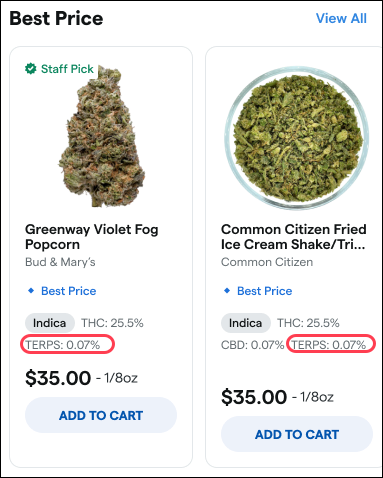
View total terpenes on product cards: As on desktop and mobile web, product cards and detail pages in mobile apps will now include total terpenes.
Fixes
We’ve released fixes to address the following issues:
Items marked Coming Soon are no longer purchasable from general menus, ensuring products can’t be added to cart until they’re available.
Clearer paused-ordering messaging now appears across the app, replacing “Closed” with “Not Accepting Orders” so customers understand stores are temporarily pausing orders.
Resolved an issue preventing customers from updating account details or toggling preferences on Android—changes now save as expected.
Total terpenes now display consistently even when individual terpene data uses different units, improving product transparency on product detail pages.
Corrected a cart pricing issue that could show $0 totals, ensuring accurate pricing through checkout.
Prevented banners from auto-populating default links when no URL is provided, so admins have full control over banner destinations.
Custom category ordering reverted to default on page refresh, ignoring the admin's saved arrangement.
Clicking certain custom categories (e.g., "Pet Health") on a dispensary's storefront loaded the wrong category or all products instead of the selected one.
E-Commerce receipts displayed "unidentified" instead of the card type and last four digits for Merrco payment transactions.
Delivery time-slot picker in the mobile app showed no available slots for some locations, even though the website displayed them correctly.
Product effects appeared on iOS mobile app product pages even when the dispensary had enabled the "Hide Effects" setting.
Applying an "Effect" filter in the iOS mobile app returned zero products despite matching products existing in the catalog.
The California SB-540 informational brochure link at checkout was broken (404 error) due to an outdated URL.
Quantity thresholds reverted to a default value of 5 and failed to save updates, causing menu items to drop off prematurely.
Selecting a weight filter while viewing a custom collection navigated the user away from the collection instead of filtering products within it.
