- DATE:
- AUTHOR:
- Dutchie Product Team
Dutchie E-Commerce: Consumer communication preferences; Loyalty referral links and QR codes; fixes
Enhancements
Consumer communication preferences
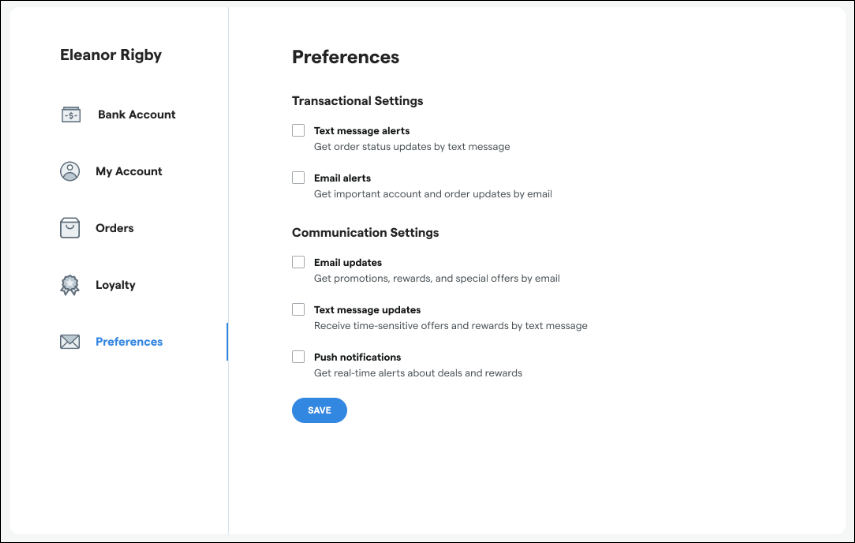
Dutchie loyalty program members can now manage their communication preferences directly in Dutchie E-Commerce on desktop and mobile web by navigating to your menu and then My Account > Preferences.
Desktop:
Mobile web:
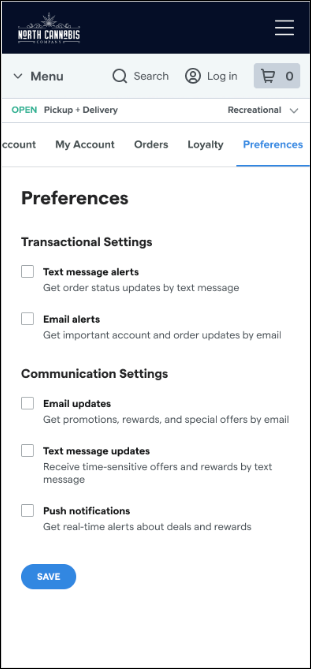
Consumers' communication settings automatically sync with Dutchie POS, where you can now also manage these settings in the Register and Backoffice. These preferences are not yet available in Dutchie Mobile Apps.
Expand your loyal customer base with Referrals
Existing members of your Dutchie loyalty program can now share a loyalty signup link or QR code with a friend.
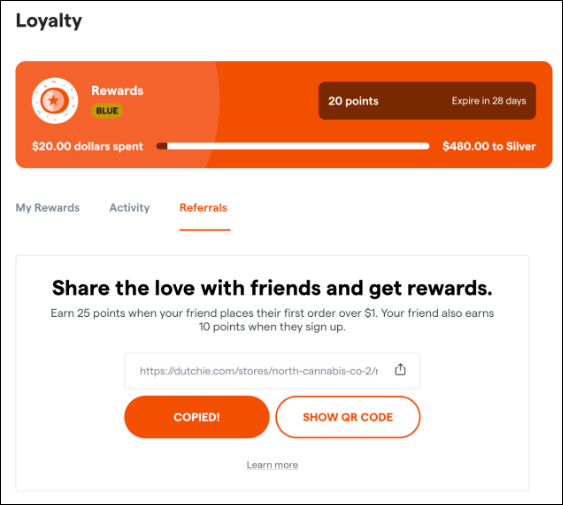
When the friend opts into your loyalty program with a new or existing Dutchie account, the friend immediately earns a reward. Once the friend makes a qualifying purchase, the referrer also earns a reward.
Rewards, minimum spend for qualifying purchases, and automated campaign messages for referrers will all be configurable in the Dutchie POS Backoffice under Marketing > Loyalty > Referrals.
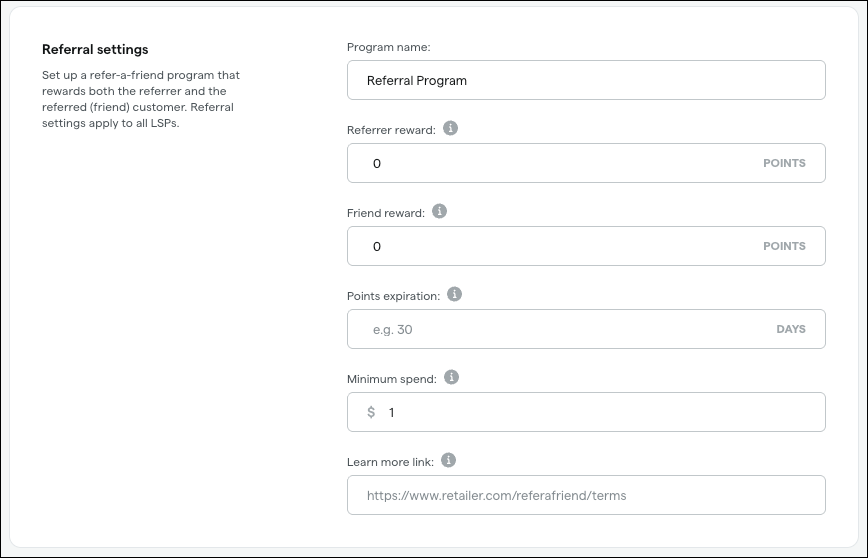
The Referrals tab in Dutchie POS also features comprehensive analytics about your referral program.
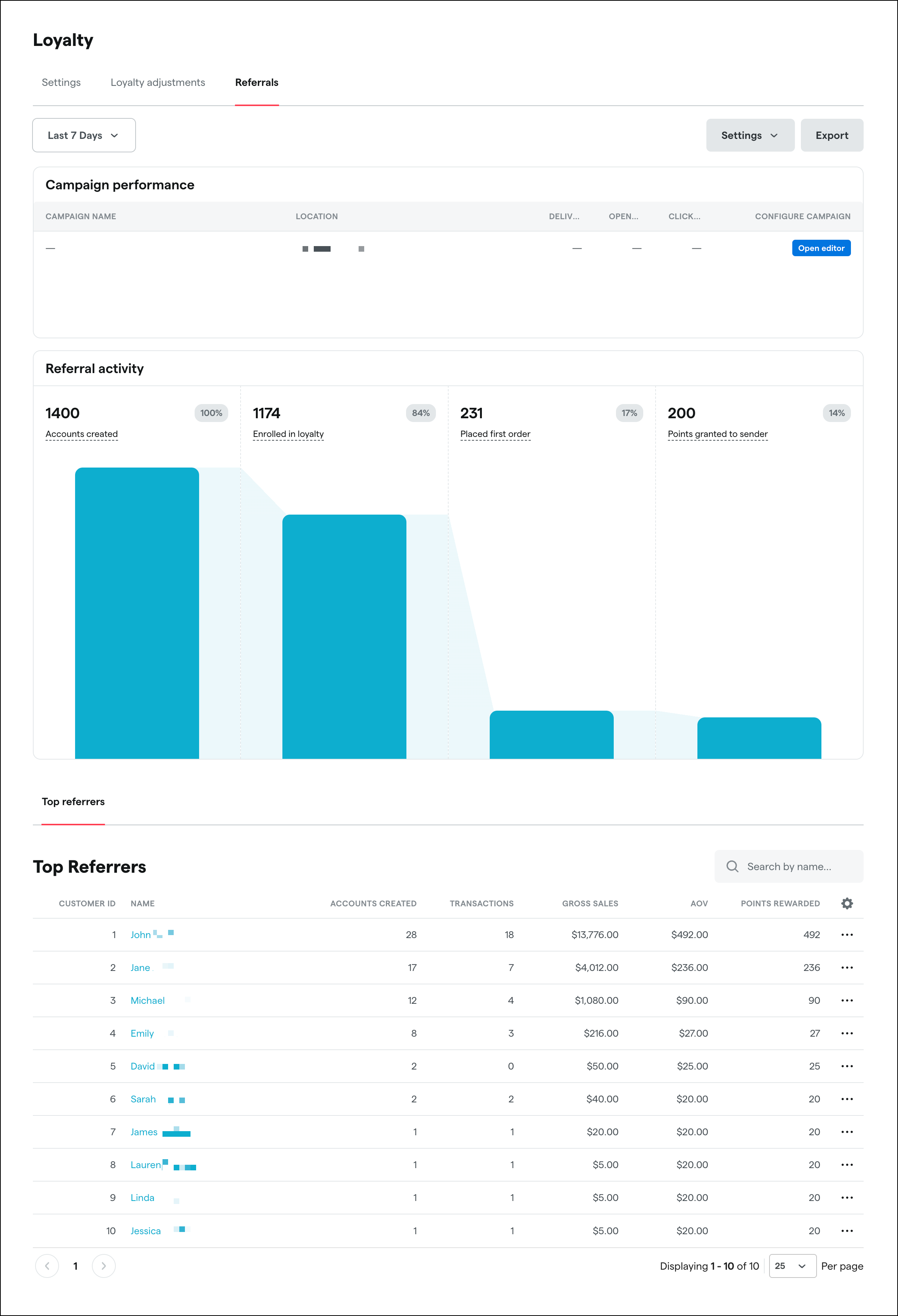
Learn more about Referrals in the Help Center.
Fixes
We've released fixes for the following issues:
Consumers experienced an erroneous “insufficient points” error when attempting to redeem Alpine IQ loyalty points online.
When copying collections to other stores, the original collection’s scheduled date and time did not copy over.
Dispensary addresses showed neighborhoods instead of cities/boroughs. For example, "Concord, NY" instead of "Staten Island, NY".
Loyalty progress bars in mobile apps always showed "expires in 90 days".
Consumers saw no results when filtering by terpenes.
Outdated online names for discounts appeared in some areas of customer-facing menus.
