- DATE:
- AUTHOR:
- Dutchie Product Team
Dutchie E-Commerce: Use Dutchie POS image ordering; sort by terpenes; fixes
Enhancements
Use Dutchie POS image ordering
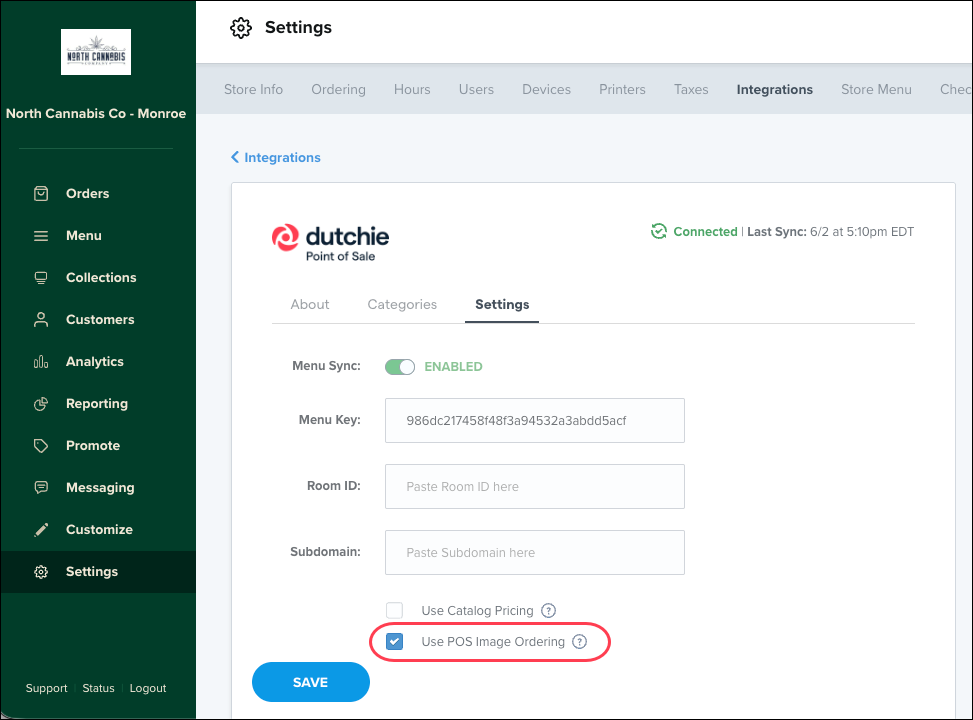
We recently launched the ability to rearrange product images in the Dutchie POS Catalog. To have the image order you set in Dutchie POS be reflected on your Dutchie E-Commerce menu, be sure to enable Use POS Image Ordering in your Dutchie POS Integration settings (Settings > Integrations > Dutchie POS > Settings tab).
Sort by total terpenes
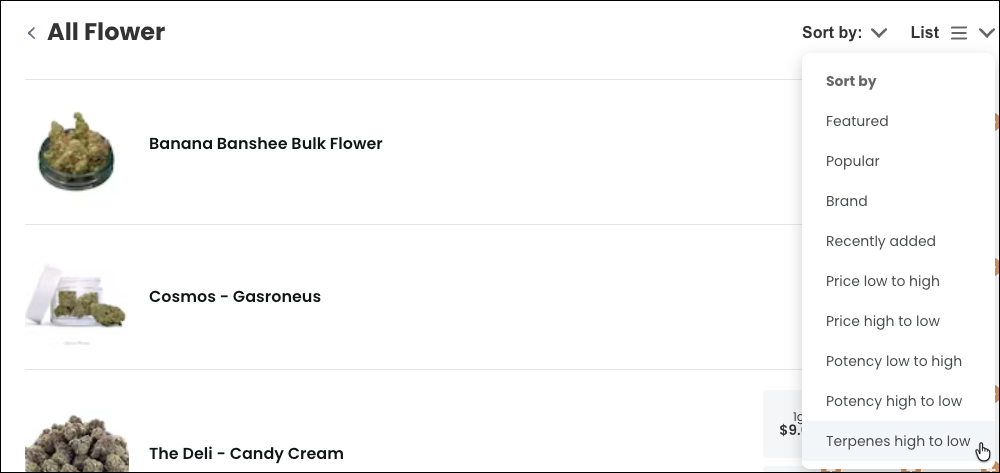
Consumers can now sort category listing pages on web menus by total terpenes (high to low).
Fixes
We’ve released fixes for the following issues:
Product card text alignment settings were not applied consistently to product type and THC percentage fields.
Enabling the Pay by Bank banner could remove existing custom image banners from Admin.
Delivery orders could show an incorrect city name in the delivery address.
The Dutchie Plus API could return duplicate products and omit others when paginating through menu results.
The Browse Locations selector on multi-location menus could route customers to invalid URLs.
Discount and offer badges could appear on menu product cards but disappear on product detail pages.
The option to add a local brand could be missing when brand search returned multiple existing results.
Strike-through pricing for active promotions was not displayed on product tiles in the menu view.
