- DATE:
- AUTHOR:
- Dutchie Product Team
Dutchie POS: Smart tag enhancements; presets for common discounts; 0-point loyalty redemption discounts; customer profile completeness indicator in Register
Projected release dates: 7/13/26-7/16/26, unless otherwise noted. Subject to change.
Enhancements
Smart tags
We’ve rolled out several new enhancements for Smart tags that are available now:
New attributes:
Location
THC and CBD
Note that the existing Potency attribute only applies to THC in milligrams (mg). These new attributes allow you to separately specify THC and/or CBD potency and different units of measure.
Harvest date
Cost
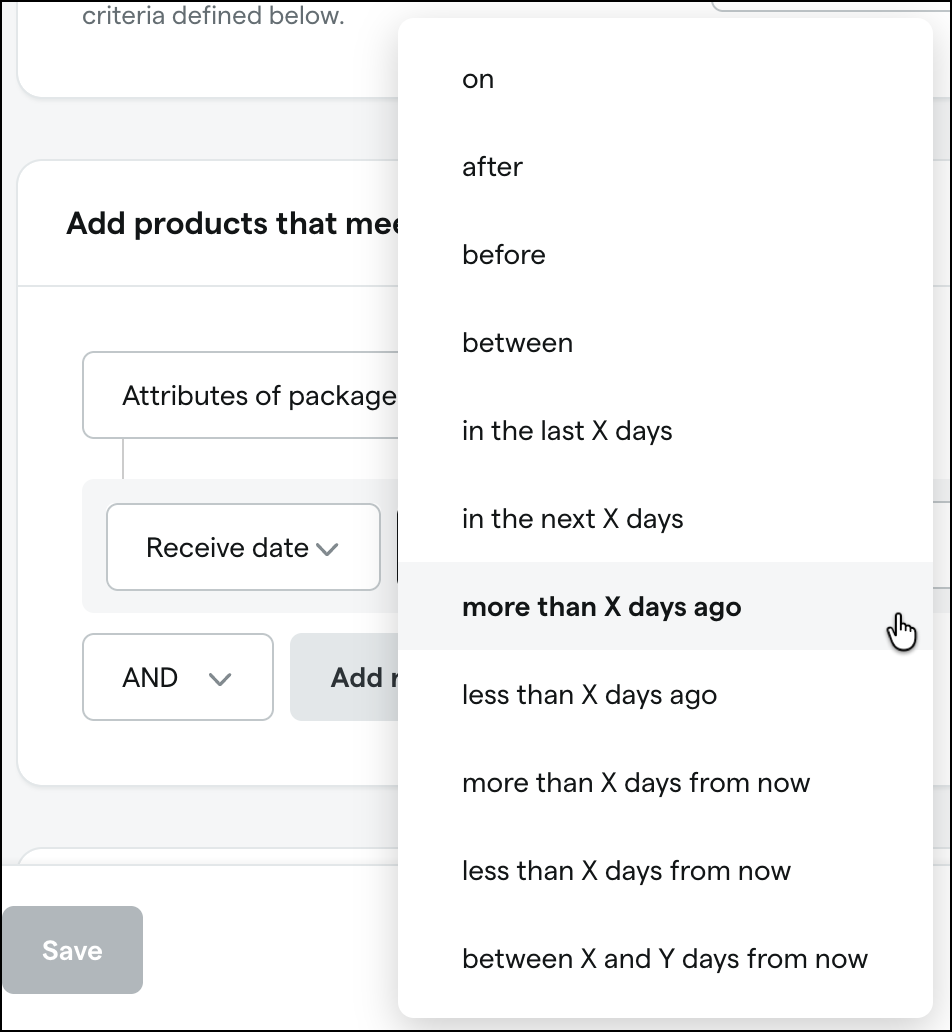
Date-based attributes now have additional “more than” and “less than” operators and allow you to enter a number of days instead of using a date picker.
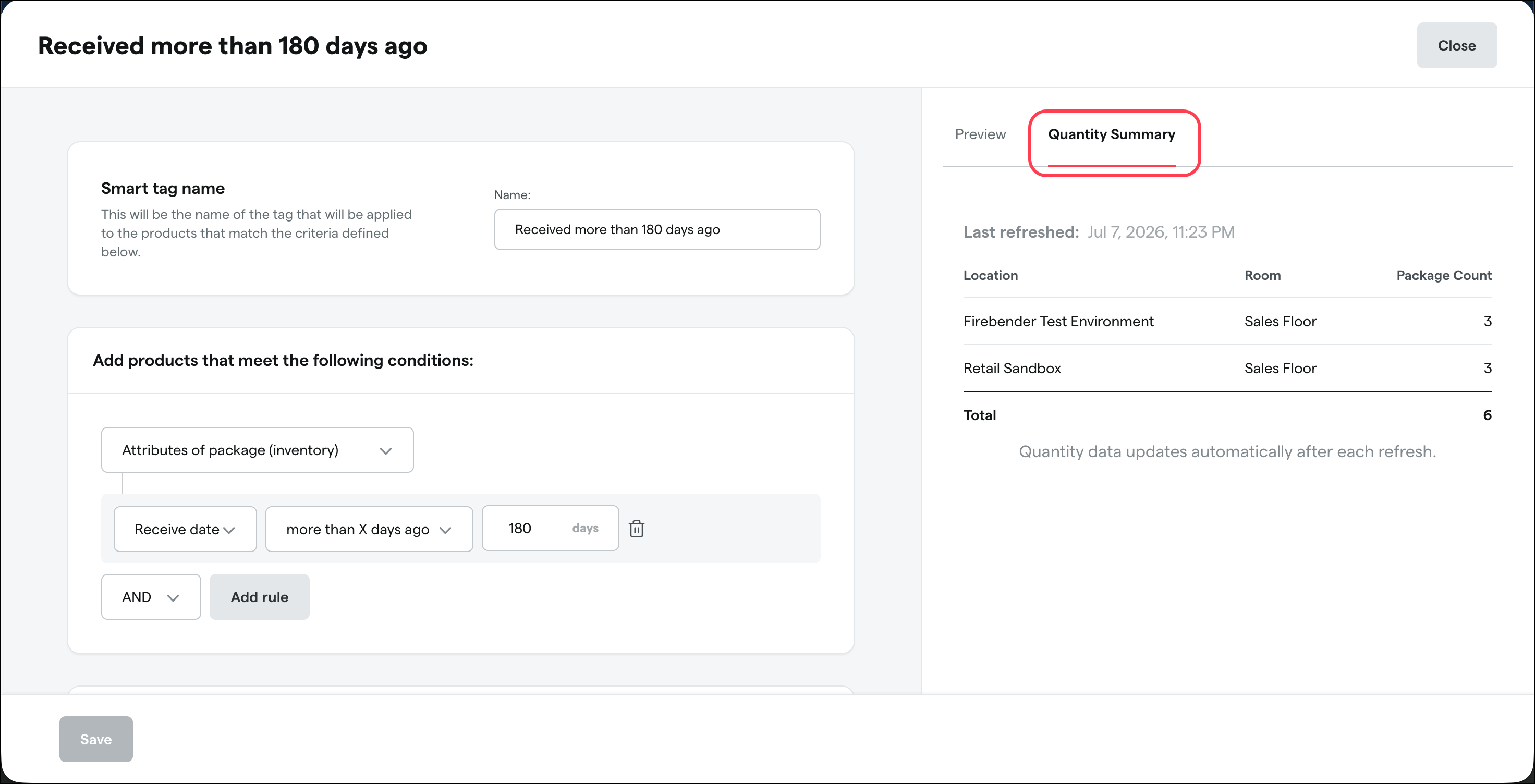
A new Quantity Summary tab shows the number of matching packages broken down by Location and Room.
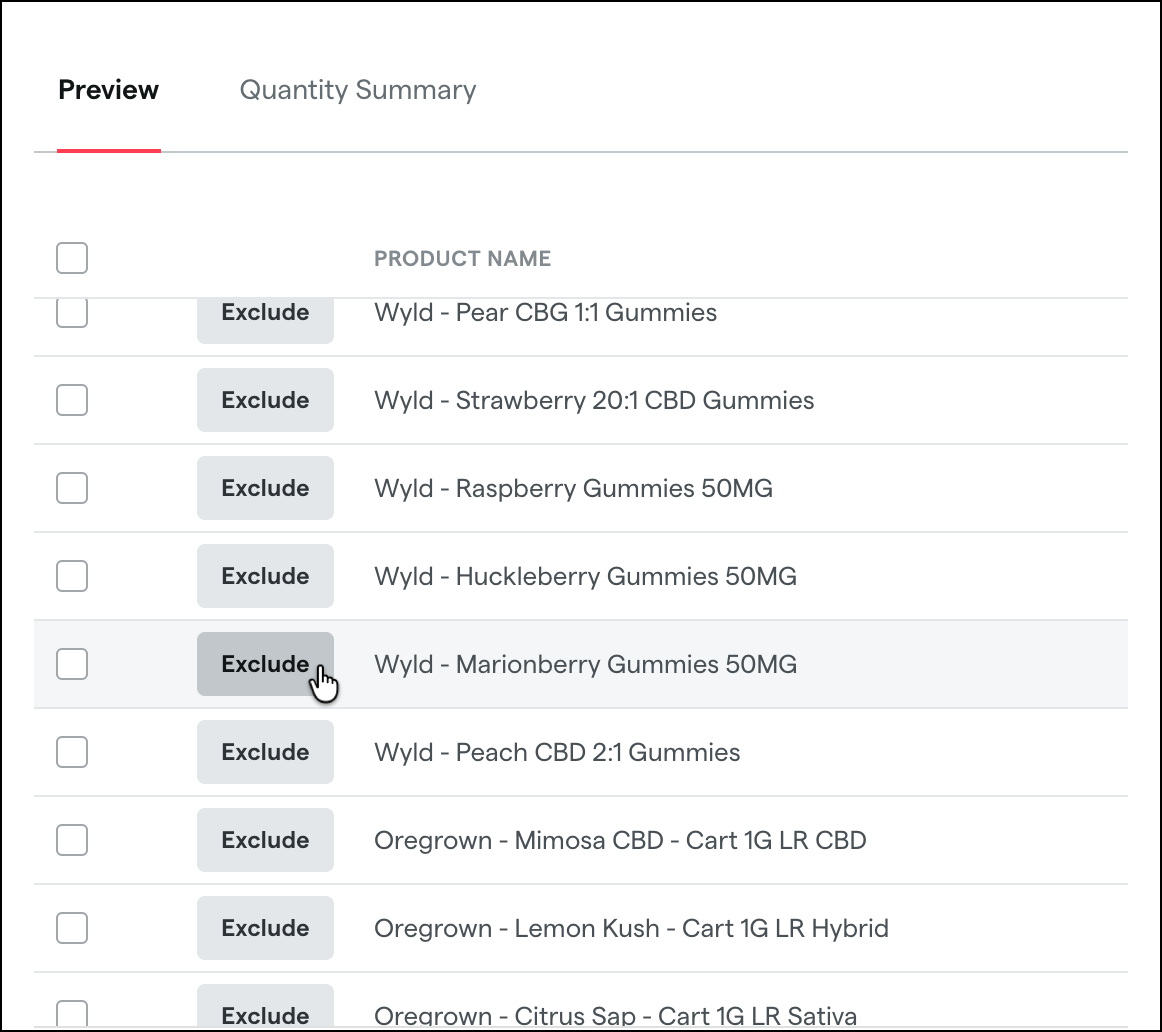
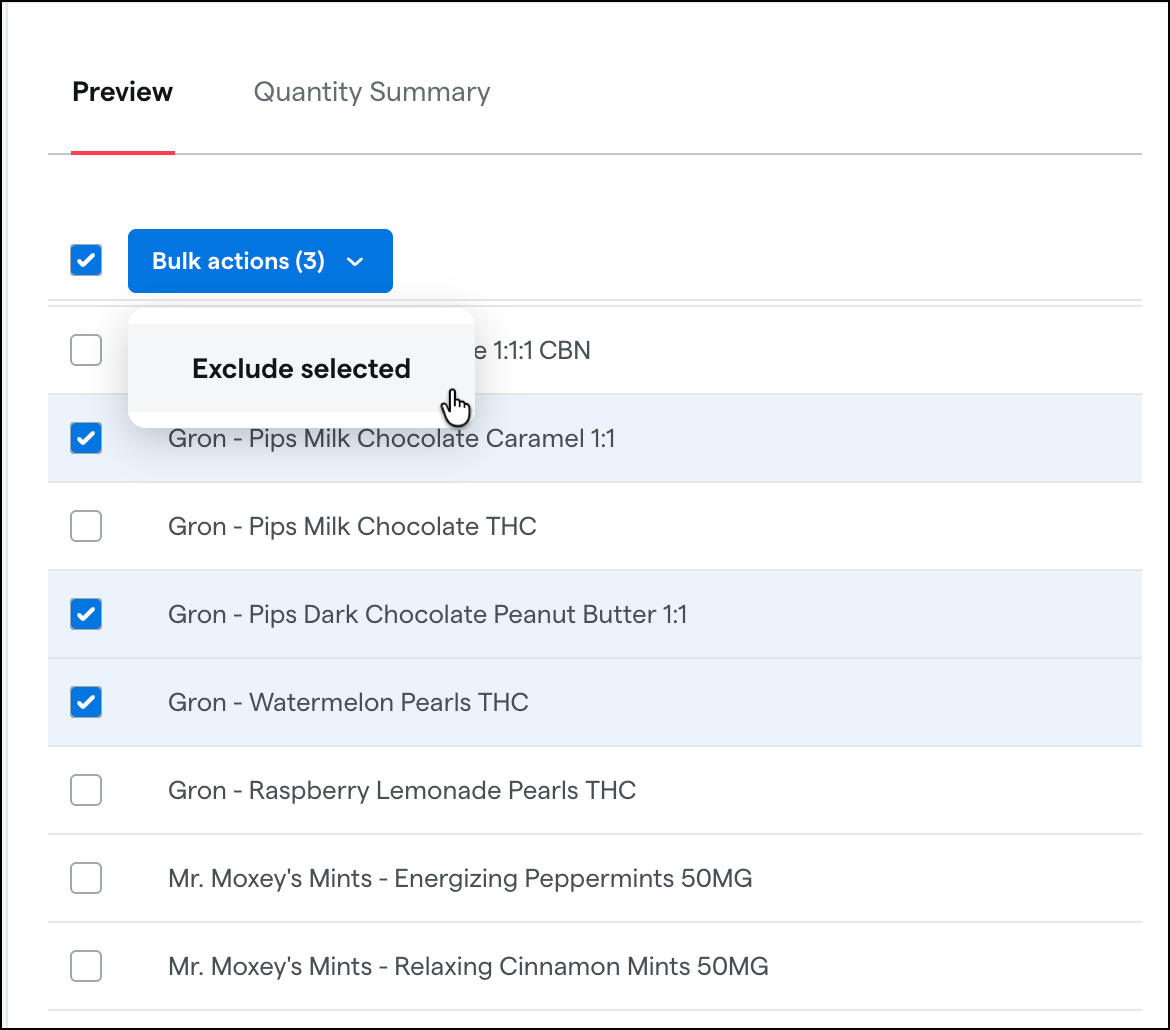
And on the Preview tab you can now Exclude packages associated with specific products, either individually or in bulk.
Discounts
Discount presets:
A new Quick Options panel streamlines the process of creating common discounts with preset templates like “20% off” or “buy one, get one” deals on specific products, brands, or categories.
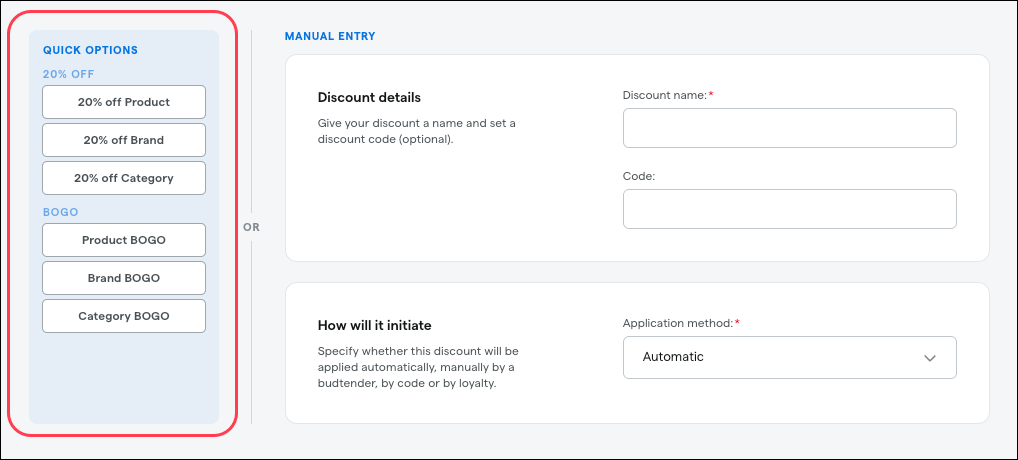
Select a preset, then choose the applicable products, brands, or categories. Dutchie then automatically configures the discount and shows a summary, where you can either choose Create discount or make adjustments before creating the discount. This update is available now.
Limit per customer enhancements:
We’ve expanded the “Limit per customer” discount options so you can now set:
A Lifetime limit (customer can use the discount X times ever - current functionality)
A Cooldown period (customer can use the discount X times per rolling window - week, month, custom, etc.)
A Refresh period (customer can use the discount X times within a time period that resets at a specific date and time)
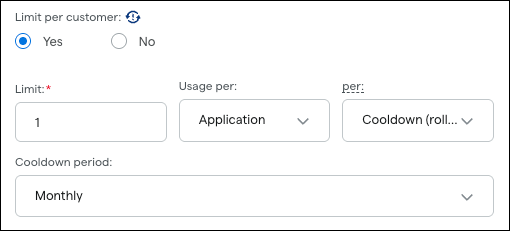
Limits can also now be configured based on Applications (discount can be used X times regardless of the number of transactions) or Transactions (discount can be used on X number of transactions, including multiple times per transaction). This update is available now. Learn more in the Help Center.
0-point loyalty redemption
We’re adding support for loyalty discounts with a 0-point redemption value. This provides more flexibility in how you structure and apply loyalty rewards and solves the problem of being unable to offer certain promotional or goodwill redemptions without requiring a minimum point threshold. Previously, if you entered 0 in the Loyalty points to redeem field when configuring a loyalty discount, the discount would not appear in online checkout or the Register.
Customers
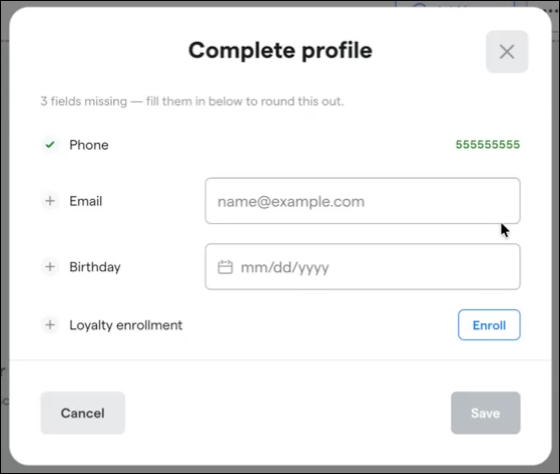
A profile completeness tracker will appear in the cart header to alert users when these key pieces of information are missing from the customer’s profile:
Phone
Email
Birthday
Loyalty enrollment (if Dutchie Loyalty is enabled)
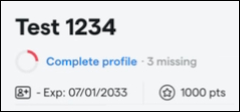
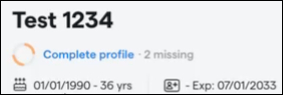
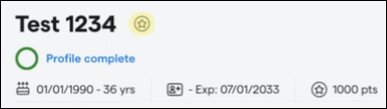
Select Complete profile to quickly fill in the missing information.
Compliance
Vermont: The Register now alerts users when a product registration is expired or about to expire and provides options for updating registrations when adding products to the cart. Learn more in the Help Center.
Fixes
We’re releasing fixes for the following issues:
Products show a duplicate “Each” unit option that can cause products to be assigned to the wrong unit and trigger Metrc errors at checkout or in the Integration Audit.
Register balance totals may be consistent between the Transactions by Register summary page and the individual register detail view.
Force-closed integrated payment transactions will now validate the final amount before saving, preventing invalid payment amounts from appearing in transaction data and downstream reporting.
