- DATE:
- AUTHOR:
- Dutchie Product Team
Dutchie POS: Auto-pop cash drawers without printing receipts; discount display updates in Register; continue campaign workflows for customers who fall out of segments; fixes
Projected release dates: 4/21/26-4/23/26, unless otherwise noted. Subject to change.
Enhancements
Register
Automatically open cash drawers without automatically printing receipts (available now)
Previously, having your cash drawers automatically open at checkout required enabling Auto-print receipts.
Now, a new Auto Pop Cash Drawer option allows you to decouple cash drawer opening from receipt printing. If you want drawers to open automatically but don’t want to automatically print receipts for each transaction:
Go to Settings > Location and enable Auto Pop Cash Drawer.
Go to Settings > Devices, select a register, and disable Auto-print receipts. Repeat for each additional register.
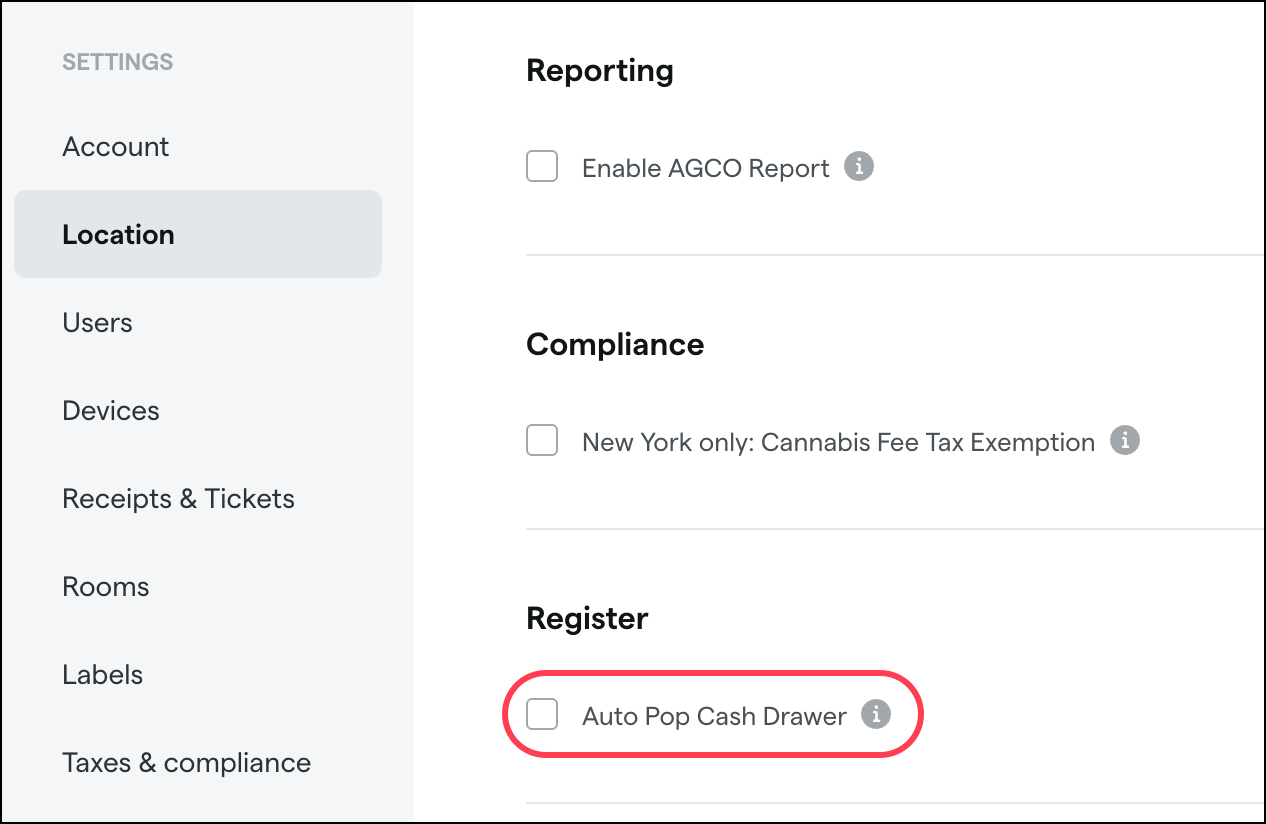
Note that Auto Pop Cash Drawer applies to all registers, while Auto-print receipts is register-specific. There is no change to the Auto-print receipts setting, which will still trigger cash drawers to open at checkout in addition to printing receipts.
Discount display updates (available now)
Percent-off discounts are now represented in the cart as a calculated dollar amount off instead of a percentage. We’ve also removed the Discount: prefix from percent-off and amount-off discounts so both discount types show only the amount off.
Previous:

Current:

Campaigns
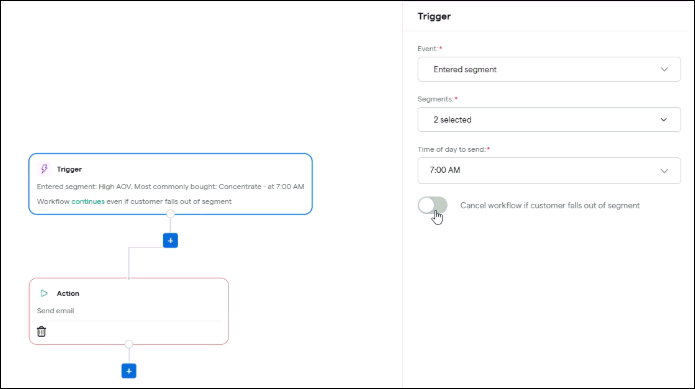
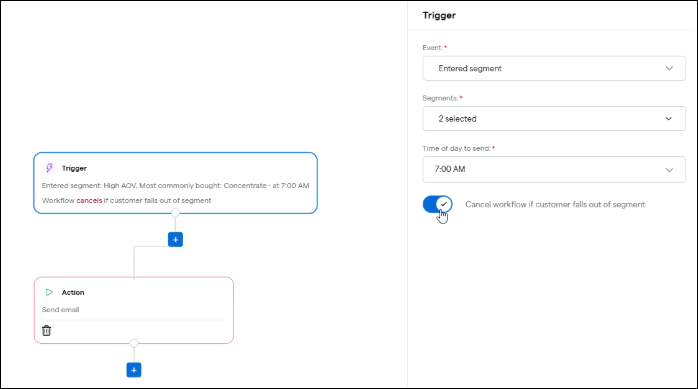
A new Cancel workflow if customer falls out of segment setting in the campaign builder will allow marketers to choose whether continue sending messages to customers who fall out of the target segment(s) after the campaign starts, giving marketers more control over time-sensitive and one-off campaigns where strict segment re-checking at send time isn't necessary.
Disable this toggle to continue the workflow for customers who fall out of target segments after the campaign starts.
Enable this toggle to cancel the workflow for customers who fall out of target segments after the campaign starts
Segments
We’re adding Last 6 months and Last 9 months options to all timeframe dropdowns in the segment builder where date ranges are selectable.
Reports
We’re beginning to roll out mobile responsiveness updates to make reports in Backoffice easier to use on mobile devices, beginning with frequently used reports including the closing report, sales overview, inventory overview, and employee peformance reports. Expect to see mobile responsiveness updates for additional reports in the coming months.
We’re adding a Customer Type column and filter to the Patient Purchases by Budtender report so you can now see and export the customer type (Medical, Recreational, Caregiver, etc.) for each transaction and optionally filter the report to a specific customer type. This removes the need to manually sort or clean exports to separate medical from non-medical sales.
Compliance
Washington: When submitting a manifest to CCRS, more informative and specific error messages will inform you of any issues that prevent successful submission so you can resolve them and submit the manifest.
Fixes
We’re releasing fixes to address the following issues:
Delivery manifests from Dutchie don’t sync all required transporter details and are sometimes not transmitting correctly to Metrc.
Creating return packages can result in the return SKU and Package ID being saved as 0, making the package hard to find and track.
Changes to discount list column configuration in Backoffice appear to save but are not actually persisted or reflected after refresh.
Column configuration changes in the User Event Log do not persist, preventing users from customizing or exporting the view as needed.
In batch mode, a failed backdated sale can be incorrectly linked to an existing Metrc receipt, causing receipt and reconciliation discrepancies.
Returns are sent to Metrc using the customer’s current type instead of their type at the time of the original sale, misclassifying some transactions.
When a package cannot be found in Metrc, checkout fails with an empty, unhelpful Error "" message instead of a clear explanation.
Deleting receives can fail due to source-batch foreign key constraints, leaving inventory orphaned and manifests partially deleted.
Weight-based flat rate taxes on received manifests ignore the product’s actual weight when items are received as Each leading to under-taxing.
The Bypass state system option is still visible in Mobile Checkout despite being disabled in Location Settings.
