- DATE:
- AUTHOR:
- Dutchie Product Team
Dutchie E-Commerce: Specials page redesign; view in-store order history in My Account; fixes
Enhancements
Specials
Next week, we’re launching a redesigned Specials page to help consumers shop deals easier and faster than ever.
Here’s what’s new:
Category-based filtering of specials (e.g. Flower Specials, Edible Specials)
"Shop Specials By Category" landing section with category cards
Redesigned special offer cards with countdown timers and urgency badges
Search and filter options within a special
Category landing pages (e.g. "Flower Special Offers")
Sort dropdown for specials
Mobile responsive updates
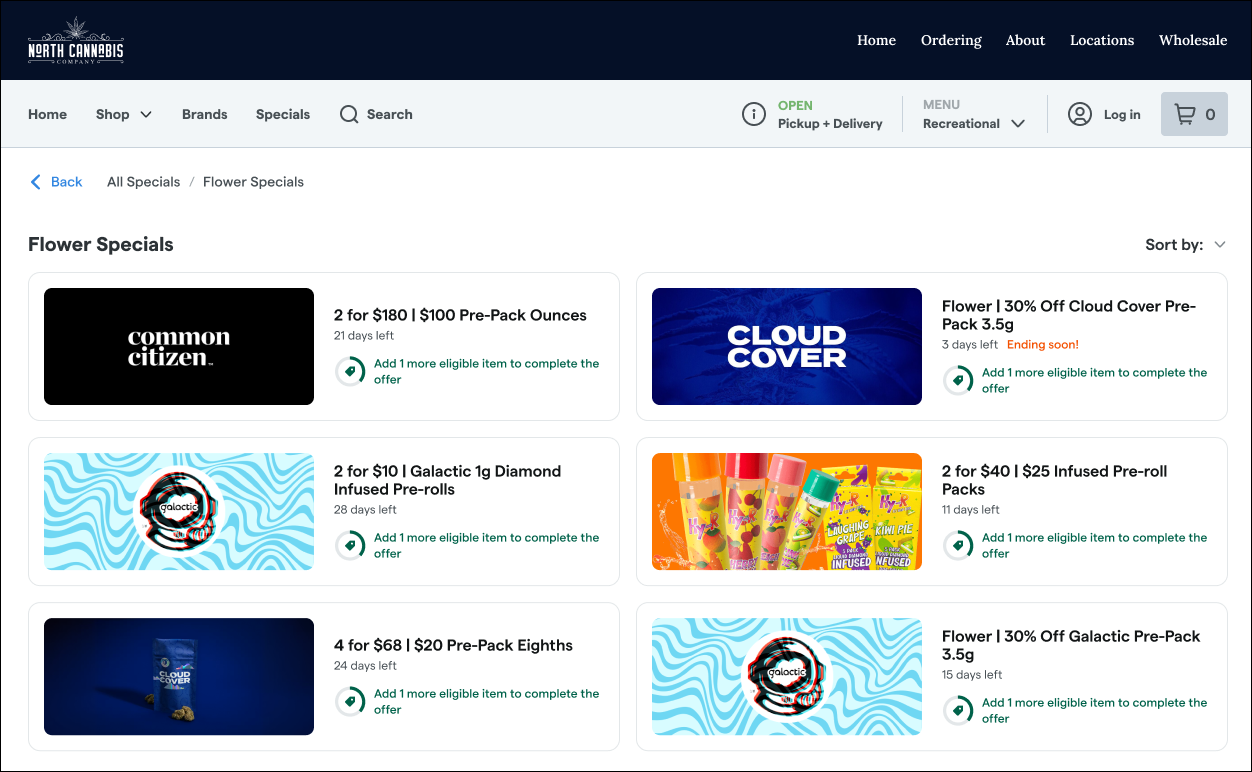
Plus, in the Dutchie POS Backoffice, drag and drop to rearrange how your specials appear online in under Marketing > Discounts > Available on eCommerce.
Look for further Specials page enhancements coming soon.
Order history
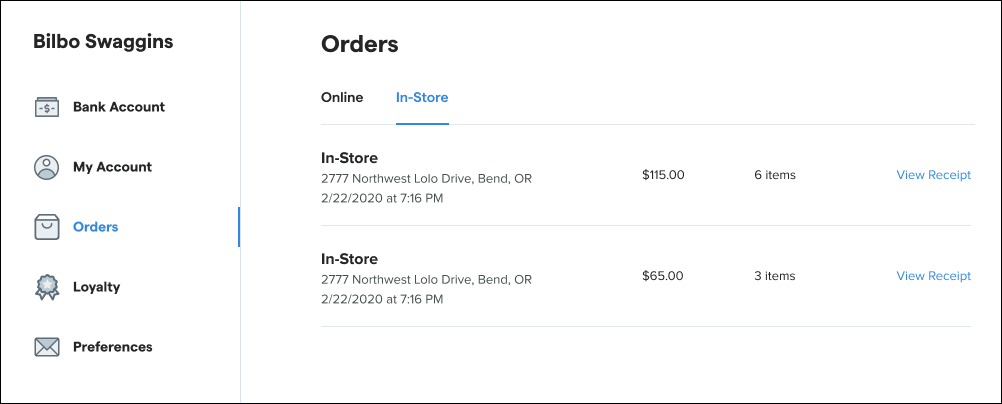
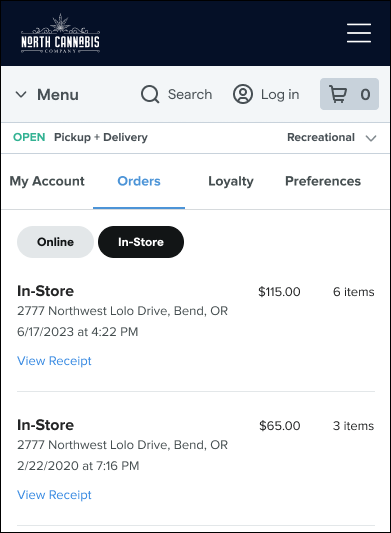
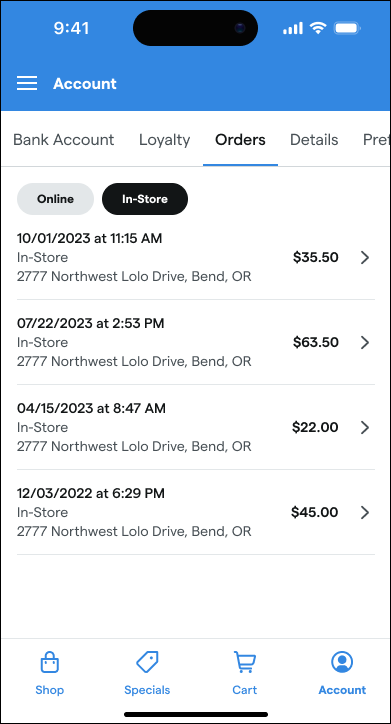
Consumers can now view their in-store order history alongside online orders under My account > Orders. This makes it easier for loyalty members to keep track of all the points they’ve earned, whether they shopped online or in store.
Desktop:
Mobile web:
Mobile app:
Settings
A new Disable special instructions at checkout setting allows you to hide the free-text + Special Instructions field on the checkout page. Find it under Settings > Checkout.
Fixes
Fixed an SEO issue on category pages where default sorting could create conflicting canonical and redirect signals. Category pages now provide clearer indexing guidance to search engines, helping improve crawl consistency and discoverability.
Fixed an issue where removed or expired featured products could still count toward the 100-item featured product limit. Admin users can now add featured products as expected when the visible featured products list is not full.
Improved navigation experience so the Shop dropdown no longer remains stuck open after being clicked. Shoppers can now dismiss the dropdown more reliably by moving away from the menu, creating a smoother browsing experience.
