- DATE:
- AUTHOR:
- Dutchie Product Team
Dutchie E-Commerce: View product terpene information; Expanded lead time options for Next Available Time windows; fixes
Enhancements
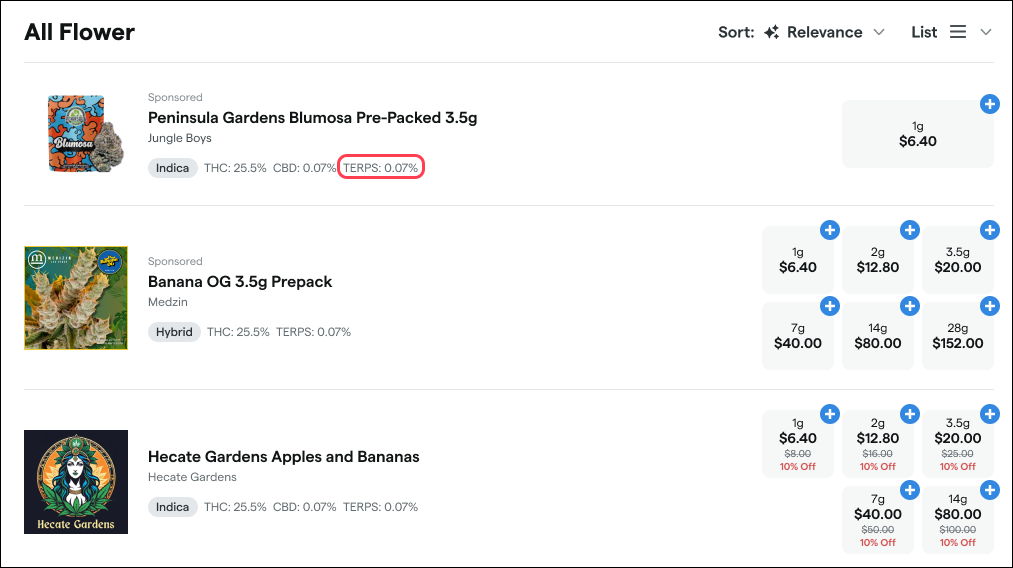
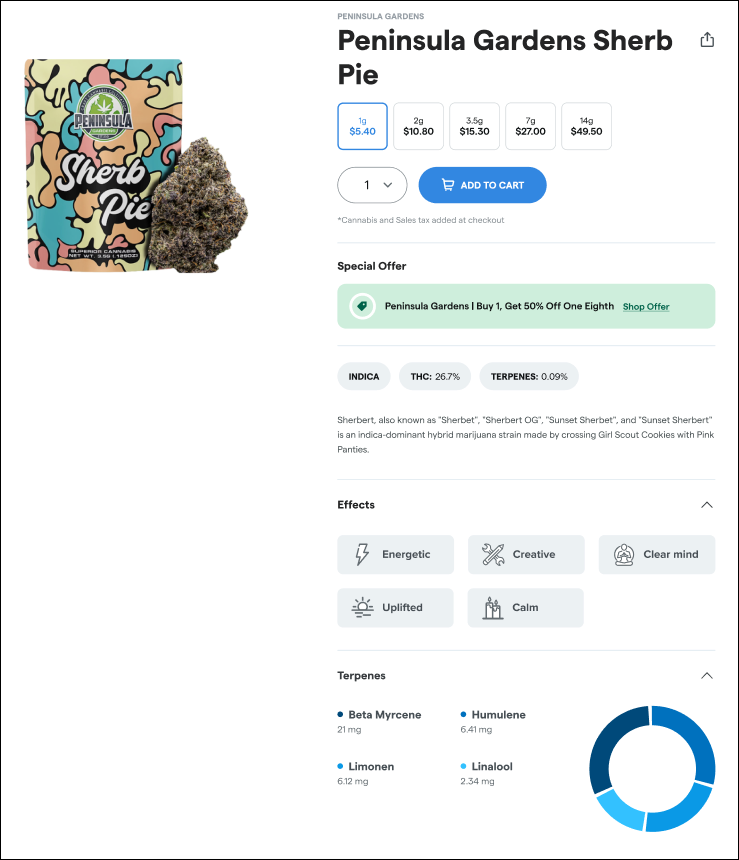
View product terpene information
Shoppers can now view products' terpene data from Dutchie POS on menu cards and product detail pages.
Next Available Time: Expanded lead time options
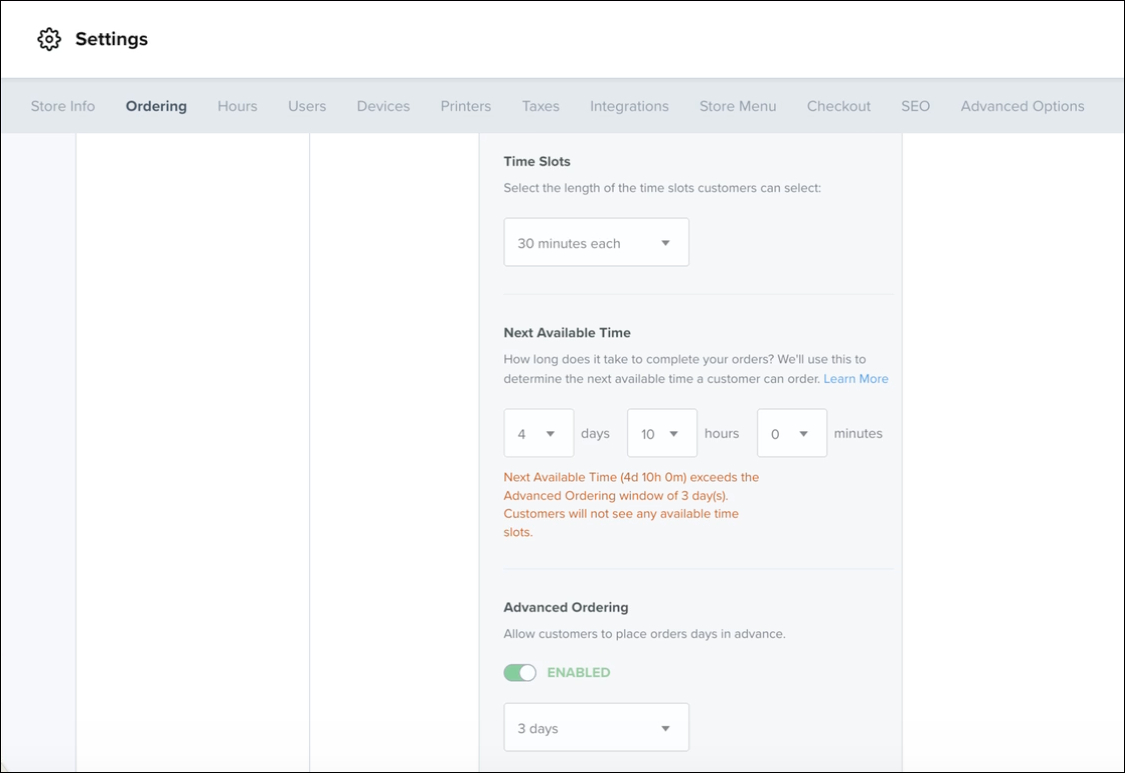
The Next Available Time setting now supports lead times up to multiple days, replacing the previous 5-hour maximum.
The single minutes dropdown has been replaced with a flexible days/hours/minutes selector, allowing dispensaries to configure lead times from minutes up to several days.
New warning messages alert you when the configuration could result in no available time slots for customers (e.g., when Next Available Time exceeds the Advanced Ordering window).
Fixes
We’ve released fixes to address the following issues:
In Mobile Apps, discount tags appeared on recreational menu items even when discounts were configured only for medical items.
Discounts set to be hidden online still triggered discount and offer fulfillment indicators (progress dial/checkmark) on Mobile App menus.
Banner schedules defaulted to 12 PM instead of saving the times users selected.
Carousel buttons overlapped the header and caused unintended horizontal scrolling.
In Mobile Apps, special hours displayed incorrect open/closed statuses for locations.
Carts could exceed vape category purchase limits due to incorrect enforcement.
In Dutchie E-Commerce Admin, newly created categories did not appear as expected.
In Dutchie E-Commerce Admin, custom category order changes did not save reliably.
In Kiosk Pro, guest information such as phone numbers carried over between sessions instead of clearing after the end of the previous session.
On small screens, Kiosk Pro layouts did not adapt properly, causing layout issues; a responsive breakpoint has been added to resolve this.
