- DATE:
- AUTHOR:
- Dutchie Product Team
Dutchie POS: New and improved label designer (beta), configurable fields for loyalty signup, redesigned lab results display in Register, fixes, and more
Projected release dates: 6/1/26-6/4/26. Subject to change.
Enhancements
Label Designer
Preview the updated label designer for a more flexible, visual way to build and configure product labels with an improved layout and a set of tools that make it faster to place, align, and format label fields. Toggle the new experience by going to Settings > Labels > Opt in to new label designer.

Learn more about how to use the new label designer in the Help Center.
Loyalty & Marketing
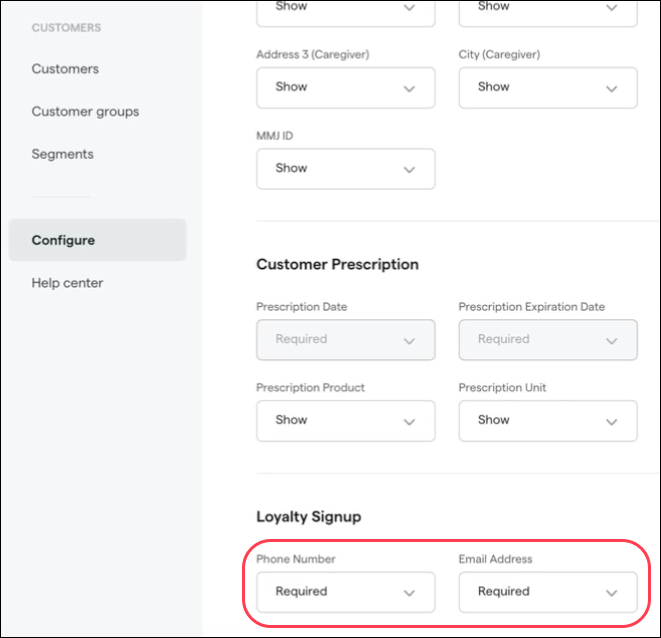
Show, hide, or require email and phone number fields for loyalty signup. Go to Customers > Configure > Fields and choose whether phone ane email fields should be shown, hidden, or required entries when enrolling customers in the Register.
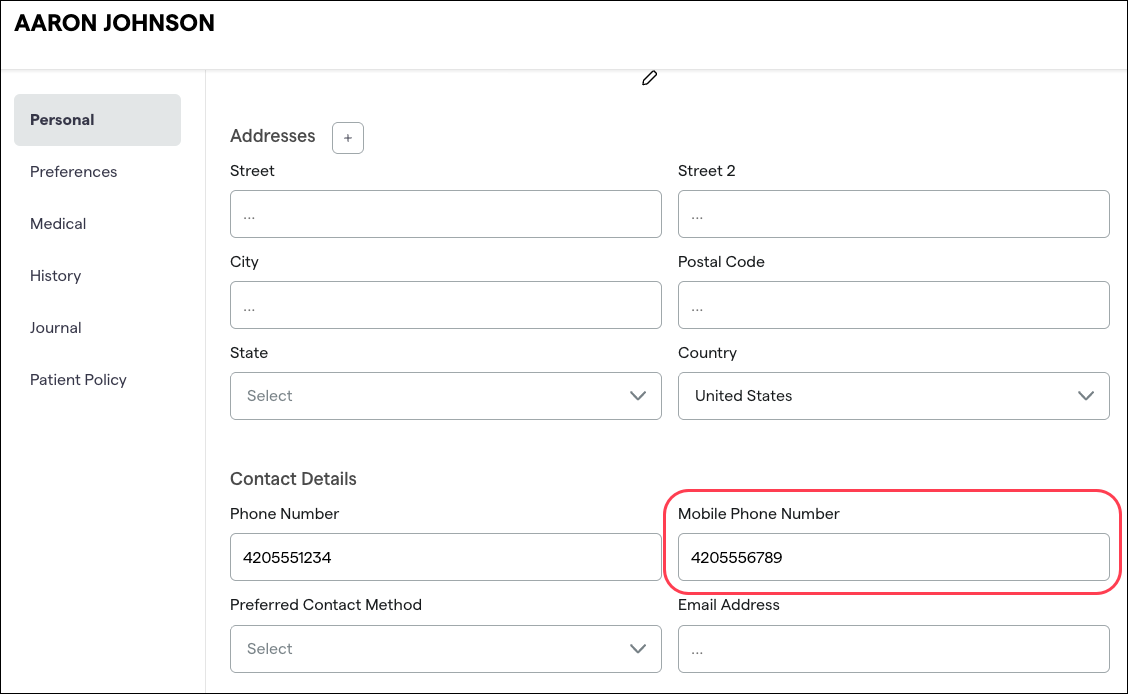
Mobile phone display in cart header: The number in the Mobile Phone field on a customer profile will now be shown in the cart header so users see the number that can receive text messages, as opposed to the regular Phone Number field, which may contain a land line. If Mobile Phone is not filled in, Phone Number will be shown in the cart header instead.
Reports
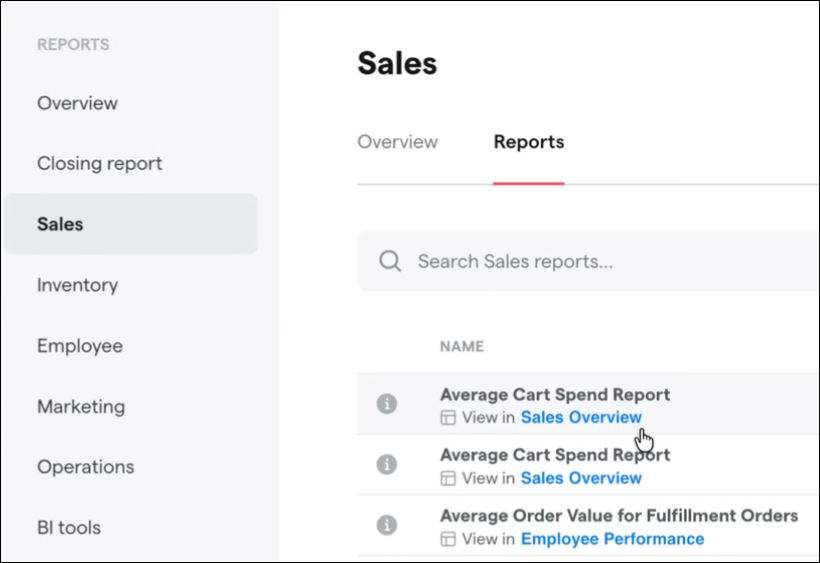
New report discovery: We’re adding indicators to certain reports to guide you toward upgraded, more modern reports with the same or similar information, surfacing the right alternatives directly where you are already working. This makes it easy to find equivalent reporting in our updated reporting suite.

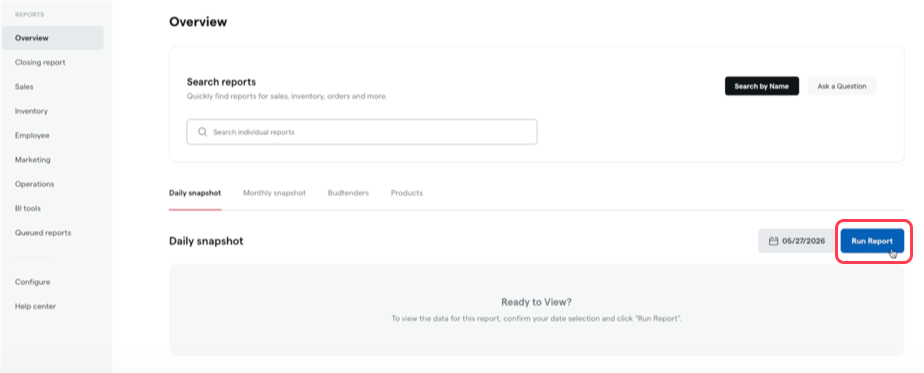
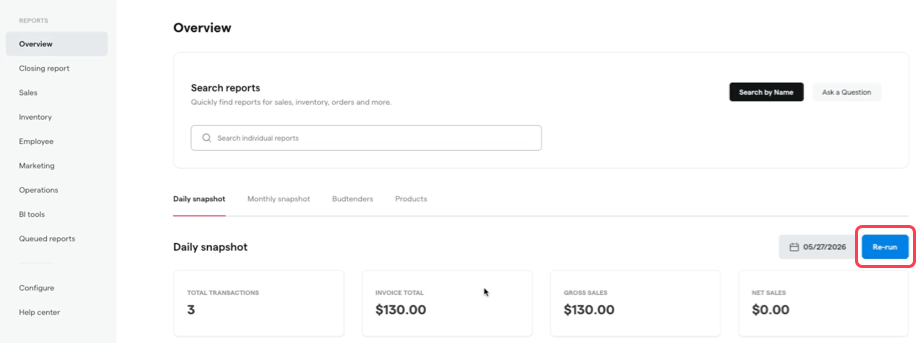
On-demand reports overview execution: To reduce server load and give you more control over when to run or refresh the Daily snapshot, Monthly snapshot, Budtenders, and Products tabs in the Reports Overview, these four tabs will no longer automatically fetch data when you navigate to the Overview page and will instead have a new Run Report button along with a Re-run option to trigger a refresh after the initial run.
Register
Redesigned lab results display in the Register: A more comprehensive display of laboratory testing information is coming to the Register. From the Add items screen, select an item and then click the Lab results button to see an overview of the product’s cannabinoids and terpenes as well as detailed lab results for each one.
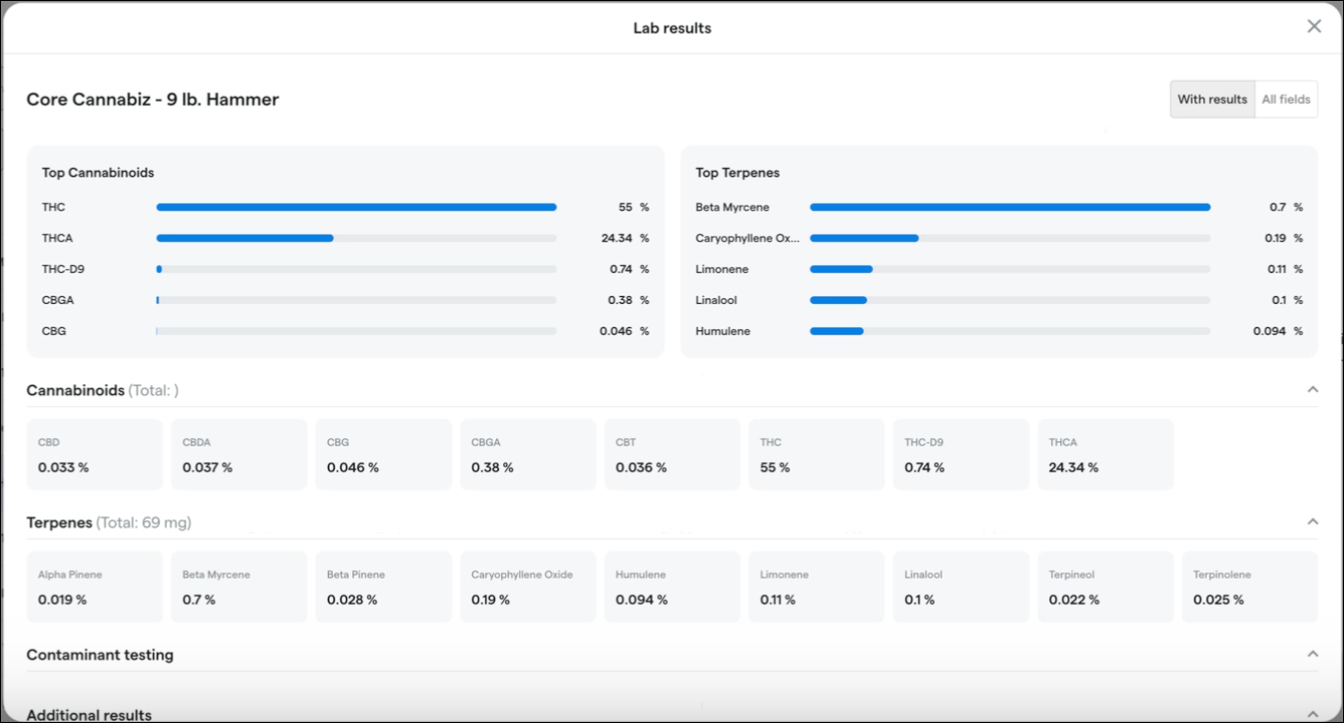
You can also toggle between a view that shows only cannabinoids and terpenes With results or one that shows All fields including those with no value entered.
Additionally, the Add items screen will feature a new sortable Terpenes column for an at-a-glance comparison of terpene contents across multiple products. This column pulls data from a new Total Terpenes field on each package's lab results page in Backoffice.

Smart Tags
We’re adding Harvest Date, THC %, and CBD % to the available attributes for building Smart Tag rules.
Compliance
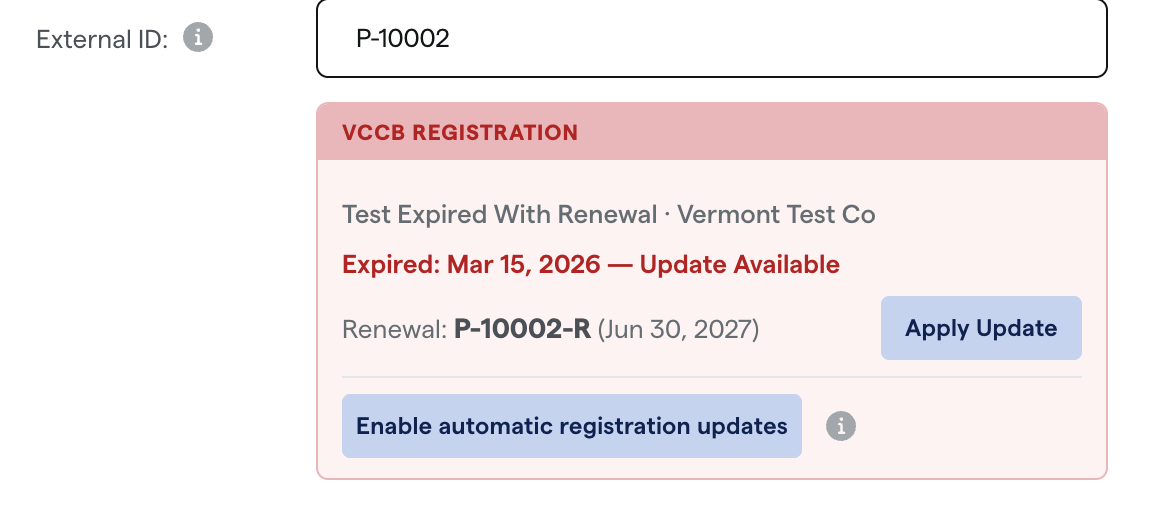
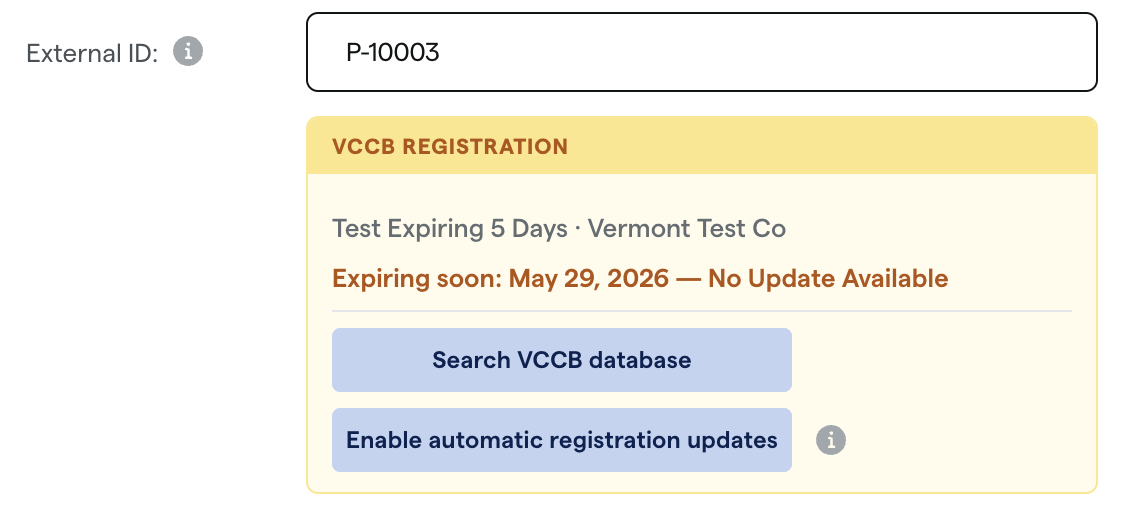
A color-coded VCCB Registration status card will now displayed below the External ID field on product detail pages in the Backoffice to provide at-a-glance product registration status with actionable next steps. Learn more about VCCB automatic registration updates in the Help Center.

Fixes
We’re releasing fixes to address the following issues:
Staff at organizations with nationwide check-in encountered an error when applying discount groups or editing profiles for customers who originated from a different location. This fix makes it so the Register will clearly identify when a customer belongs to another location and prevent cross-location profile edits, avoiding the issue.
We’re adding a maximum limit of 5 years (1,825 days) for point boost expiration in workflow campaigns. Previously, entering an excessively large expiration value could cause workflows to fail. The system now displays a clear error if the expiration exceeds 5 years, preventing campaign processing issues.
The customer lookup process may incorrectly match customers who had placeholder text (e.g., "N/A") entered in the Medical ID field. This could cause incoming orders to be associated with the wrong customer profile. The system will now filter out common placeholder values during customer matching, ensuring orders are correctly linked to the intended customer.
Online orders could be incorrectly attached to the wrong customer profile when multiple customers shared the same last name and date of birth. Orders now match to the correct profile more reliably.
A 'Sale ID must be an integer' error prevents returns from being processed on historically imported transactions.
Loyalty discounts incorrectly appear as Code discounts in the Backoffice discounts list.
Previously selected customers are deselected when performing a new search. Customer selections are now preserved while searching, restoring the ability to select and merge duplicate customer profiles.
An error prevents saving edits to customer segment details in Backoffice.
