- DATE:
- AUTHOR:
- Dutchie Product Team
Nexus by Dutchie: Dex, Command Center, Inventory Planning, Reports, Signal Tower, Consumer Pulse and more

Nexus is here, and Dex is built in
Starting next week, we’re rolling out Nexus to select customers. Cannabis software will never be the same.
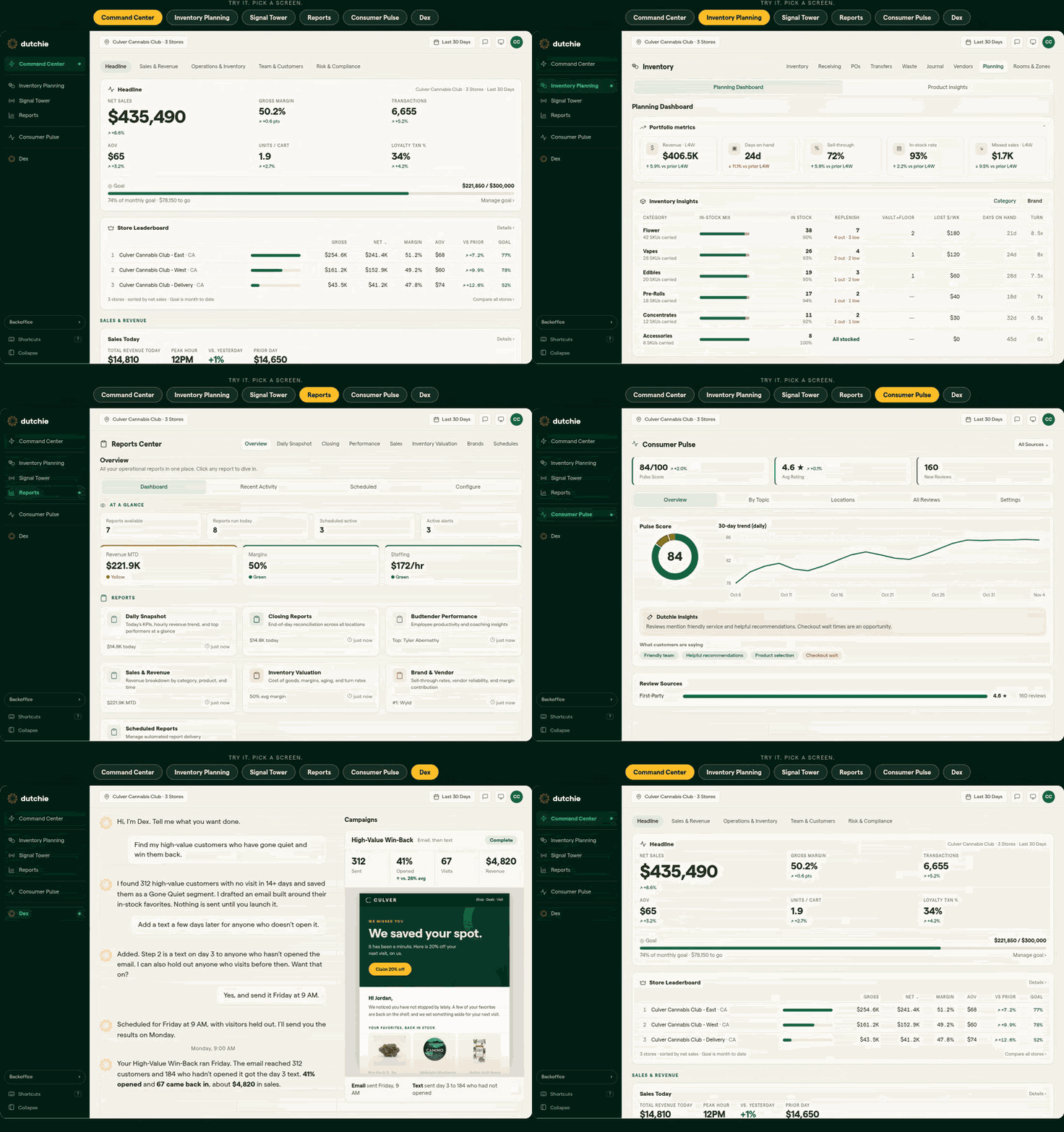
Nexus brings sales, inventory, and team performance into one Command Center, with Dex, the cannabis AI that already knows your business, built into every screen. The fastest way to see the difference is to ask Dex a question about your stores. Click here for a guided tour.
Included with Nexus
Dex
Ask Dex about your stores and get answers from your own data, on any Nexus screen. Find the products that are not selling, spot which store is behind, or have Dex build a report or create a discount for you to review.
Command Center
Know before you walk in. See sales, margin, and goal progress for every store in one view, so you can start the day knowing where each store stands.
Inventory Planning
Keep the shelves full. See what is out of stock on the floor and what to move from the vault, so customers find what they came for.
Reports
Close out the night in minutes. Closing and sales reports are ready for every store, and you can ask Dex to build custom ones.
One login for your Dutchie systems
If you use Dutchie POS and E-Commerce, one login now takes you to both, along with Nexus, so there is less switching back and forth.
Go further with Signal Tower and Consumer Pulse
Signal Tower and Consumer Pulse extend Nexus, and each is available as a separate subscription. You may see them in your menu. Select either one to learn more and book a demo.
Signal Tower watches for unusual voids, odd discounts and cash that does not match, so admins can catch a problem during the shift.
Consumer Pulse brings reviews and surveys together with a pulse score, so you can hear what customers say about every store.
How to get access
Early next week: select environments are going live next week. Please look out for an in-app guide or a Nexus banner on your Backoffice login page and home screen, which indicates your environment is live with Nexus. Select See Nexus, look around, and ask Dex something. There is nothing to set up, and your current Backoffice works as it does today.
Coming soon: we are enabling organizations progressively and we will keep going in the weeks after Green Wednesday so we do not disrupt your biggest day. We will let you know when it is your turn.
