- DATE:
- AUTHOR:
- Dutchie Product Team
Dutchie POS: Rearrange product images in Catalog; new criteria for Smart Tags; enroll customers in loyalty from guest list; ask AI to help find reports
Projected release dates: 4/27/26-4/30/26. Subject to change.
Enhancements
Products
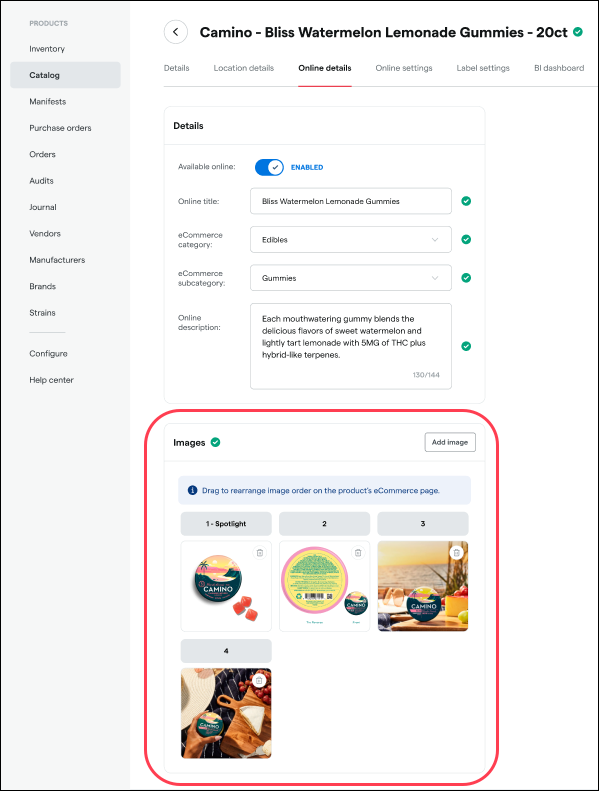
Drag and drop to rearrange product images and set a primary Spotlight image on the Online details tab to more easily control how products appear online.
Smart Tags will soon support additional rules and attributes including Room, Inventory Status, Is Cannabis, and Is Device (for Florida operators) so you can build more precise tagging and merchandising workflows.
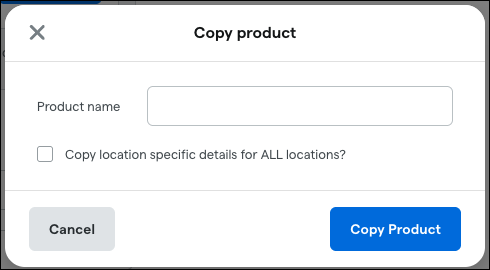
When copying a product, a new Product name field will allow you to set a name other than “[original product name] (COPY)” before creating the copy. This will resolve an issue for products with Sync to Metrc Item set to Yes, where a new product is created in Metrc as “[original product name] (COPY)” and then again when the copy is renamed. By allowing you to specify the new product’s name before copying, we avoid creating unnecessary extra products from this workflow.
Register
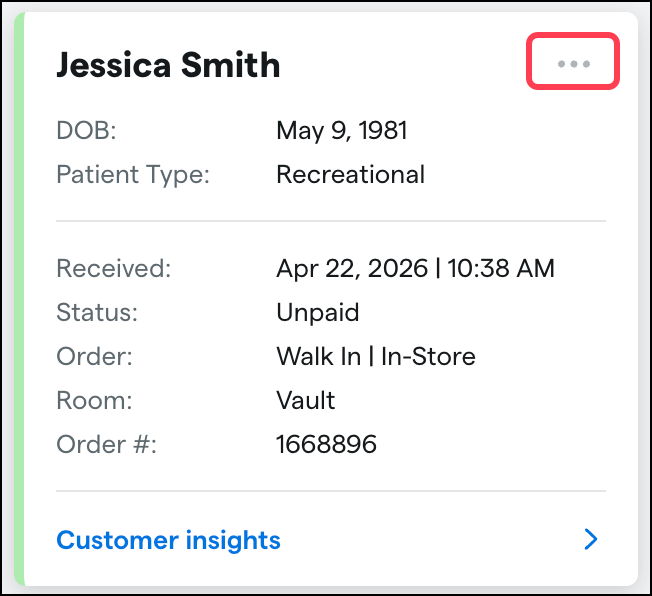
Enroll a customer in loyalty directly from the guest list without opening a cart, giving check-in staff a streamlined workflow for enrolling new loyalty members. Select the ellpsis (…) on a guest card and then Register for loyalty.
Ask a question on the Reports Overview
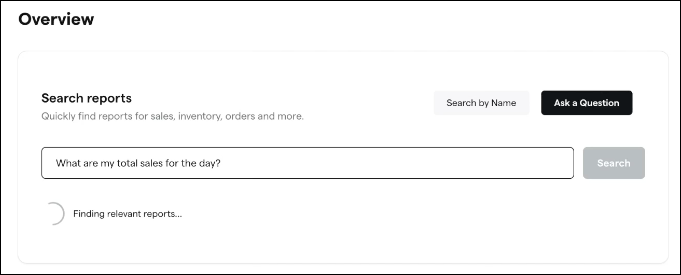
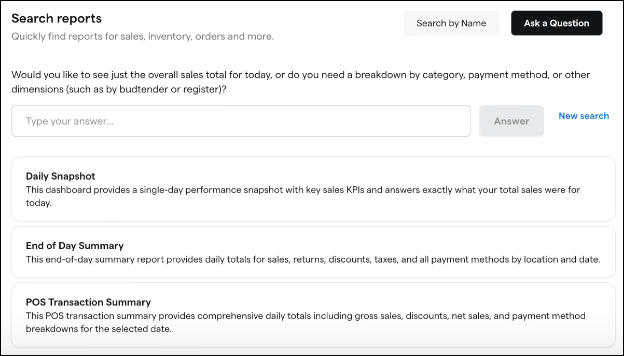
We’re adding a new "Ask a Question" feature to the Reports Overview that lets you describe what you want to know in plain language. Ask a question like "How much did we sell today?" or "What are my top-selling products?" to get recommendations for the best matching dashboards and reports, ranked by relevance.
Reporting enging upgrades
We are moving our reporting engine to a unified backend designed for scale. This migration allows us to handle larger datasets with significantly better consistency.
How this benefits you:
Faster Complex Reporting: Queries covering long time ranges (Month-to-Date, Quarter-to-Date, etc.) will see a notable performance boost.
Increased Stability: We are significantly reducing query timeouts, meaning fewer "killed" queries when running large reports.
Future Data Integration: This move paves the way for us to integrate new, diverse data sources into your views that were previously unavailable.
After the migration, report data will refresh every 15–20 minutes (instead of under a minute). The cutover will take a few minutes on the morning of April 27 and requires no action from you.
Retail ID updates
Now that Retail IDs are automatically generated when you select Print Retail ID labels, the redundant Generate Retail ID action will be deprecated. Previously, suppliers had to generate IDs before printing; this change consolidates both actions into one.
We’re also removing the Existing QR IDs count from the Print Retail ID labels screen to improve Retail ID printing reliability and performance. The current count is based on older architecture that can prevent labels from printing and isn’t always accurate compared to Metrc, which can create audit and inventory confusion. We’re evaluating future solutions to show more reliable counts but also the ability to view and reprint past jobs. Look for more updates in a future post.
Additionally, we’re restoring the QR icon on incoming packages with Retail IDs so you can identify Retail ID packages before completing the receive.
Fixes
We’re releasing fixes to address the following issues:
Reports table tooltips don’t display on hover for some users.
“Med Card Expiring Soon” campaign workflows could trigger too early for some customers.
When removing product or category exclusions from an existing discount, the changes appear to save successfully but persist in the database, resulting in those products or categories still being excluded from the discount.
The Inventory Reason column in the Inventory Adjustments - Adjust report is blank for adjustments made in the integration audit.
