- DATE:
- AUTHOR:
- Dutchie Product Team
Dutchie POS: Bulk price and cost editor (beta); location selector on reports; fixes
Projected release dates: 5/14/26-5/21/26. Subject to change.
Enhancements
Products
We’re rolling out new tools that allow you to edit product pricing and inventory cost in bulk, either directly in the Backoffice with an AI assistant, or by dowloading, editing, and uploading a .csv file. This beta feature is currently enabled for select servers and will be rolled out to all servers in the coming weeks. Learn more in the Help Center.
Reports
Checkboxes to view data for All locations on various reports in the Backoffice will be replaced with a dropdown menu allowing users to select specific locations or all locations. The dropdown and the reports will only reflect locations that the logged-in user has access to.
Compliance
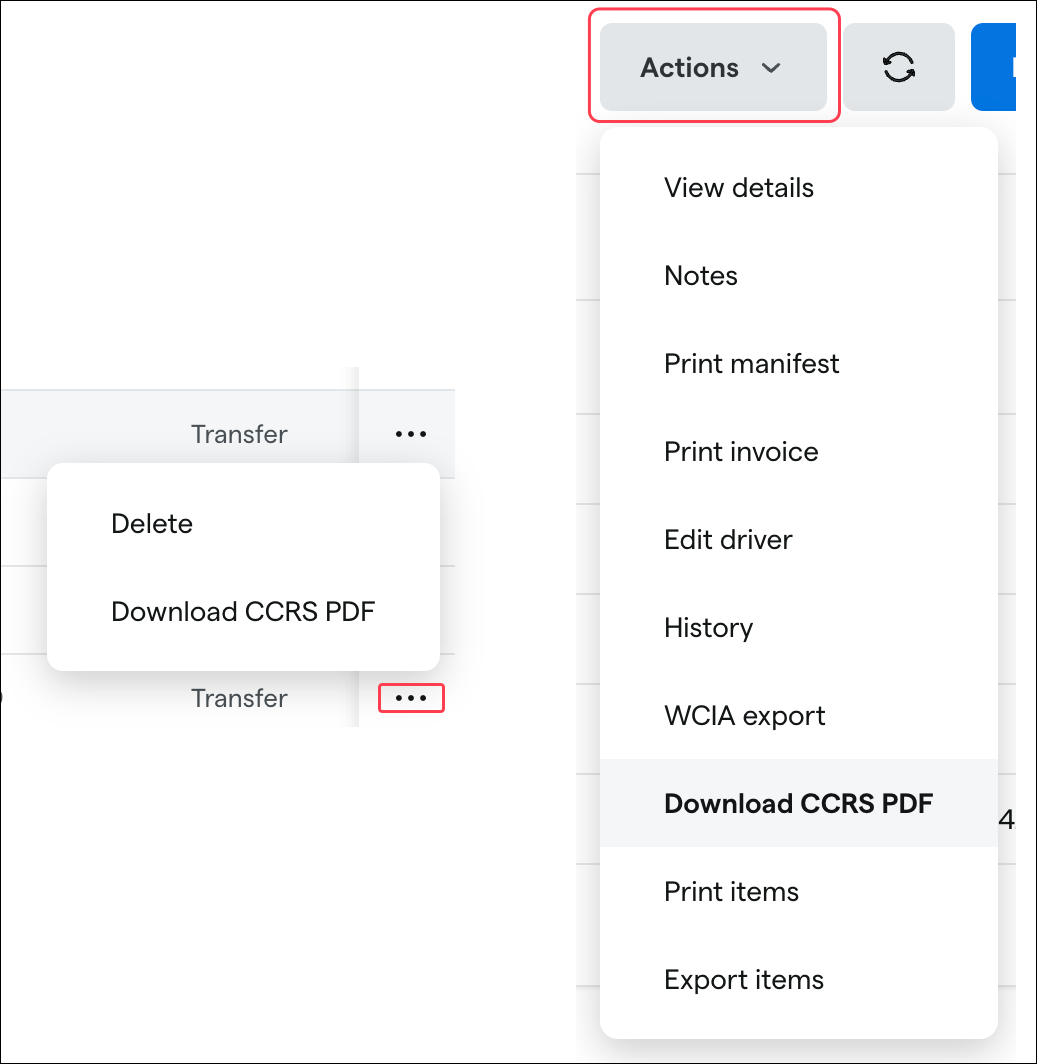
Washington: We’re adding an option to download manifest PDFs directly from the Manifests page in Backoffice. Select Download CCRS PDF from the ellipsis (…) next to a manifest on the manifests table or from the Actions button when viewing manifest details.
Fixes
We’re releasing fixes for the following issues:
Customer segments based on opt-in status may not evaluate correctly, which could cause campaigns to target the wrong audience.
The Wholesale tax type field on the Receive Inventory page will be conditionally displayed based on your location's tax configuration. If your location does not have a tax rate configured to apply to wholesale transfers, this field will no longer appear.
The Delete METRC Pending Transfer action on the Receive Inventory page does not work properly.
Opening the Pending Transfers or Saved Orders dropdowns on the Receive Inventory page causes unsaved manifest data to be wiped without warning.
Constraint options Between and Exactly were mislabeled for BOGO discounts (those that apply to the highest- or lowest-priced item). Discount functionality remains unchanged, but you may see audit logs reflecting this change.
